
Kite Area Demonstration
Loading the math board and drawing, please wait…
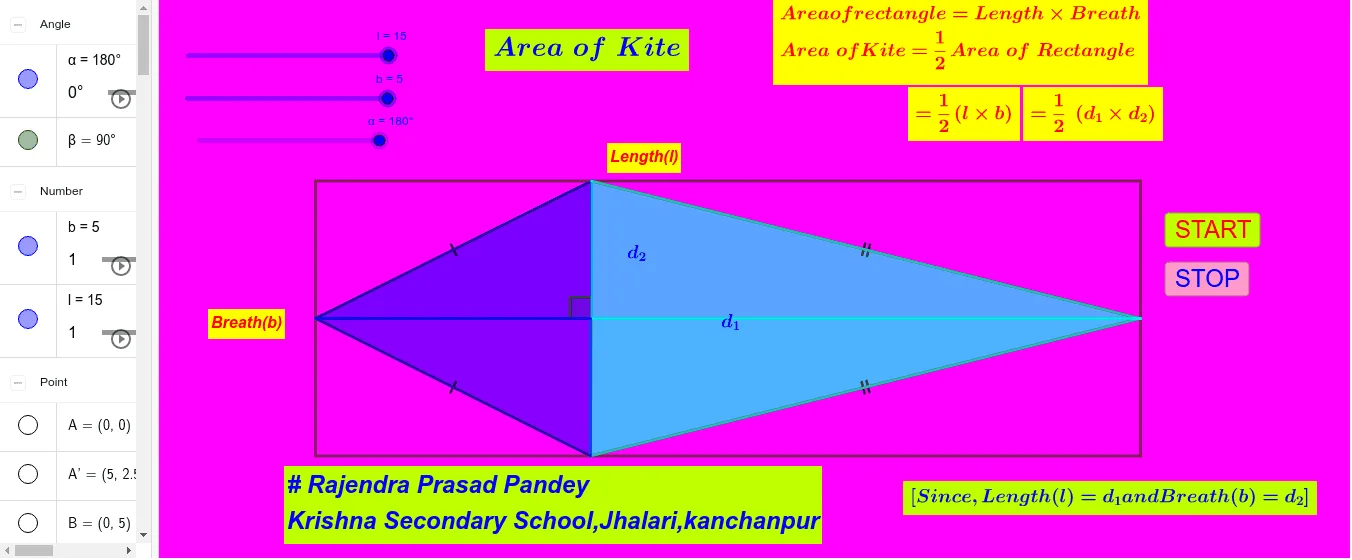
This example shows how to construct a kite in GeoGebra and compute its area. It covers key concepts such as the quadrilateral area formula, perpendicular bisecting diagonals, geometric transformations (rotation, midpoint), and angle/segment relationships. Construction steps use Polygon to create the kite, Midpoint for diagonal midpoints, Point, Segment, Intersect for vertices and intersections, Rotate for symmetric construction, and Angle to measure angles. Suitable for middle‑school geometry lessons, high‑school analytic geometry review, and teacher‑created instructional materials.
GeoGebra Commands & Parameters
Polygon(B, A, D, C) → q1, b_1, a, d, cMidpoint(B, A) → EMidpoint(C, D) → FPoint(a) → GPoint(c) → HSegment(H, E) → fSegment(E, G) → gSegment(G, F) → hSegment(F, H) → iSegment(E, F) → jSegment(H, G) → kIntersect(k, j) → IMidpoint(E, H) → JMidpoint(H, F) → KMidpoint(F, G) → LMidpoint(G, E) → MPolygon(B, E, H) → t1, h_1, b_2, ePolygon(H, F, C) → t2, c_1, h_2, f_1Polygon(E, A, G) → t3, g_1, e_1, a_1Polygon(G, F, D) → t4, d_1, g_2, f_2Rotate(B, α, J) → B'Rotate(E, α, J) → E'Rotate(H, α, J) → H'Polygon(B', E', H') → t1', h', b', e'Rotate(H, α, K) → H'_1Rotate(F, α, K) → F'Rotate(C, α, K) → C'Polygon(H'_1, F', C') → t2', c', h'_1, f'Rotate(G, α, L) → G'Rotate(F, α, L) → F'_1Rotate(D, α, L) → D'Polygon(G', F'_1, D') → t4', d', g', f'_1Rotate(E, α, M) → E'_1Rotate(A, α, M) → A'Rotate(G, α, M) → G'_1Polygon(E'_1, A', G'_1) → t3', g'_1, e'_1, a'Rotate(H, 90°, I) → H'_2Angle(H, I, H'_2) → β
AI Drawing Prompt Reference
Construct a kite quadrilateral in the plane using four key vertices. Form the kite’s two diagonals and mark the midpoint of each diagonal; use these midpoints to draw the needed segments that locate their intersection. Employ rotations about the relevant diagonal midpoints (following a shared angle α) to generate the corresponding rotated vertices on the opposite side of the symmetry setup, then connect the rotated points to complete the kite shape. Finish by measuring the angle at the intersection point between the original segment direction and the segment direction after the 90° rotation, producing the angle β.
The prompt above was compiled from the original drawing commands and is for reference only.