
Jennifer Caton's Translation
Loading the math board and drawing, please wait…
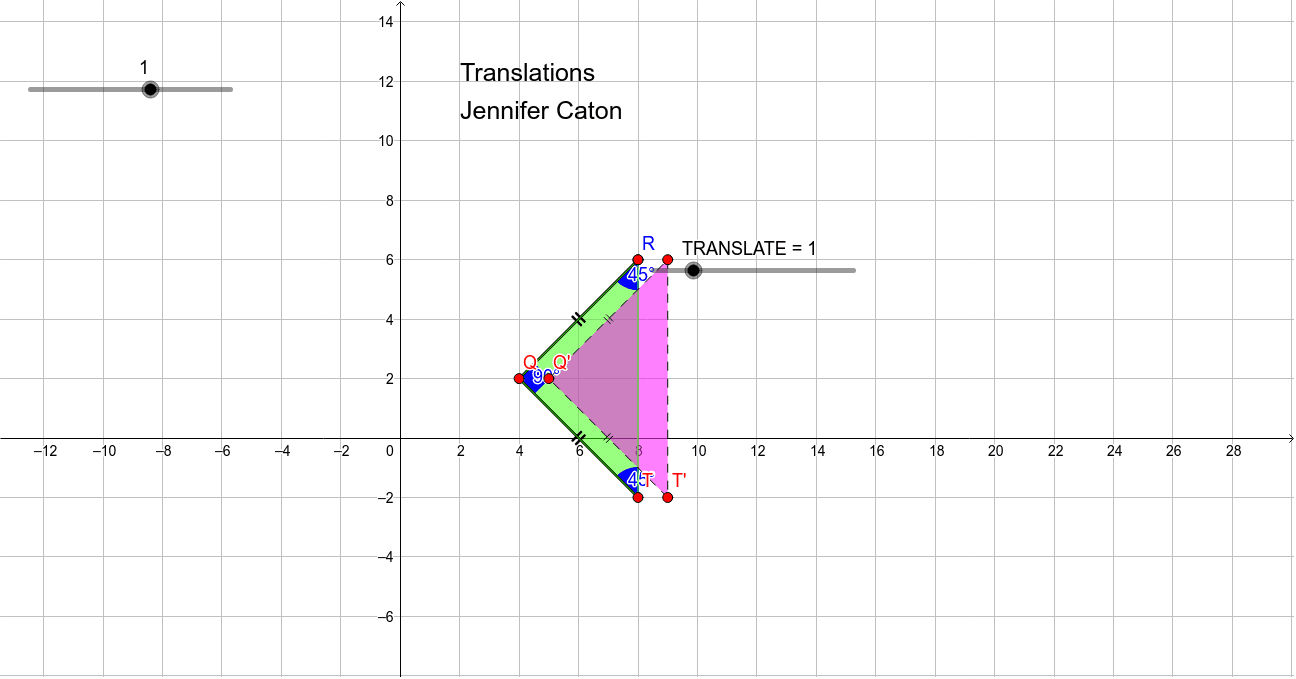
This example demonstrates how to perform translation using GeoGebra. The key mathematical concept is geometric transformation, specifically translation. Using commands such as Segment, Circle, Point, Polygon, Angle, Vector, and Translate, the example constructs the effect of translation. Suitable for students at the junior high school level and above.
GeoGebra Commands & Parameters
Segment(Q, R) → aCircle(Q, A) → cPoint(c) → TSegment(Q, T) → bPolygon(Q, A, T) → poly1, t, q, a_1Angle(A, Q, T) → αAngle(A, T, Q) → βAngle(Q, A, T) → γVector(Q, Q + (1, 0)) → uTranslate(Q, Vector[(u * Translate)]) → Q'Translate(A, Vector[(u * Translate)]) → A'Translate(T, Vector[(u * Translate)]) → T'Polygon(Q', A', T') → poly1', t', q', a'
AI Drawing Prompt Reference
Draw a triangle and a vector, then translate the triangle along the vector to create a new triangle, demonstrating the effect of translation.
The prompt above was compiled from the original drawing commands and is for reference only.