
Isosceles Triangle and Vector Construction
Loading the math board and drawing, please wait…
In collections
Mapping Diagrams: From AB to C&DE, Resource
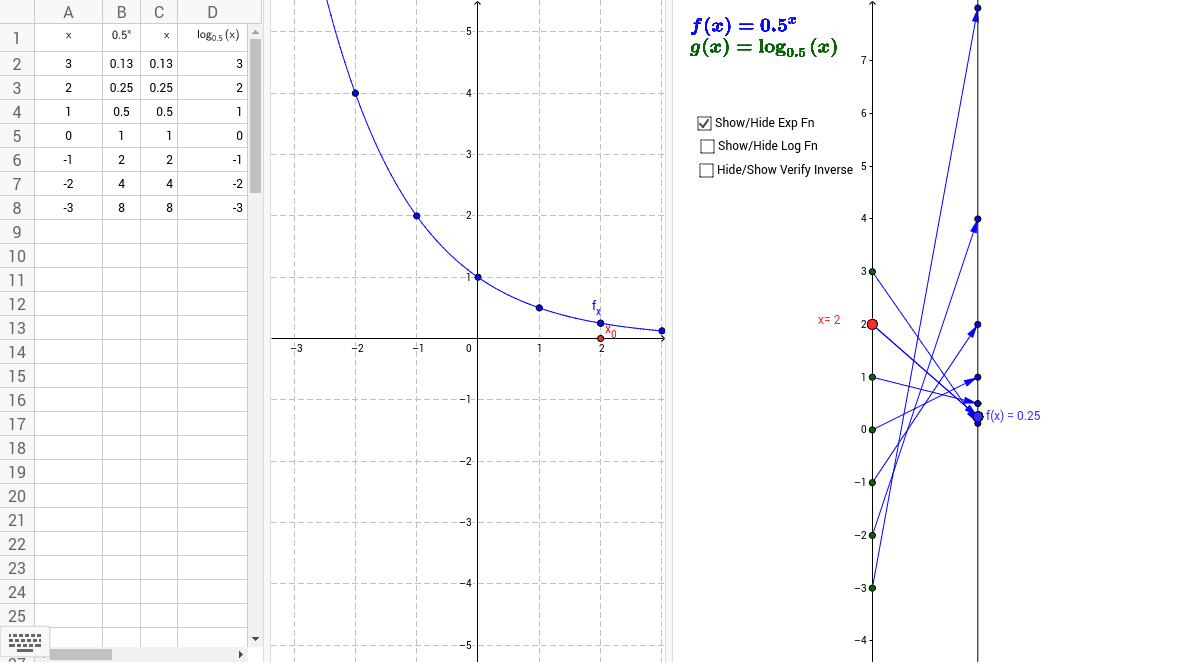
This example demonstrates how to construct an isosceles triangle and display its vector properties using GeoGebra. The core math concepts involved include isosceles triangles, vectors, coordinate geometry, and logical reasoning. Key construction points: commands like Point, Vector, Textfield, Sequence are used, defining triangle vertices and vectors with objects such as A, base, f, a, and generating sequence points with Sequence. Suitable for high school mathematics teaching to understand the relationship between vectors and geometric figures and parametric construction.
GeoGebra Commands & Parameters
Point(yAxis) → A_1Vector(A_1, B) → uTextfield(f) → inputBox1Sequence(Vector[(0, k), (2, f(k))], k, -3, 3) → ExpMDSequence((2, f(k)), k, -3, 3) → ExpTargPtsSequence((0, k), k, -3, 3) → SourcePtsMDSequence((k, f(k)), k, -3, 3) → ExpGraphptsVector(A_1, B_2) → vSequence(Vector[(0, f(k)), (2, g(f(k)))], k, -3, 3) → logMDSequence((f(k), k), k, -3, 3) → logGraphptsSequence(Vector[(2, k), (4, f(k))], k, -3, 3) → InvLogMDVector(B_2, A_2) → w
AI Drawing Prompt Reference
Draw an isosceles triangle on a coordinate plane with its apex on the y-axis and a horizontal base. From the apex, draw two vectors to the base endpoints, showing their directions and lengths. Also, generate a series of equally spaced points along the y-axis and x-axis, and from these points draw vectors pointing to corresponding points determined by a function, creating multiple sets of parallel or symmetric vector fields. Include an input box to adjust the function expression, dynamically changing the vectors and points. The overall figure illustrates the relationship between vectors and geometric shapes, suitable for teaching.
The prompt above was compiled from the original drawing commands and is for reference only.