
Isosceles Trapezoid Construction by edgar
Loading the math board and drawing, please wait…
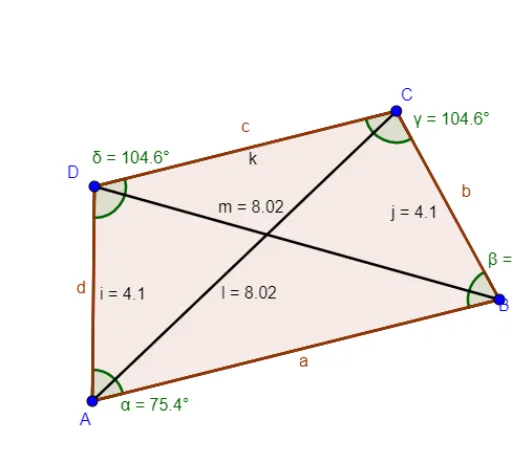
This example demonstrates the geometric construction and properties of an isosceles trapezoid. Key math concepts include polygons, angles, equal segment lengths, and symmetry. Construction highlights involve commands like Segment, Line, LineBisector, Mirror, Polygon, and Angle to create and verify the trapezoid's symmetry. Suitable for high school geometry instruction and learning.
GeoGebra Commands & Parameters
Segment(A, B) → fLine(D, f) → gLineBisector(f) → hMirror(D, h) → CSegment(D, A) → iSegment(C, B) → jSegment(D, C) → kPolygon(A, B, C, D) → poly1, a, b, c, dAngle(B, A, D) → αAngle(C, B, A) → βAngle(D, C, B) → γAngle(A, D, C) → δSegment(A, C) → lSegment(B, D) → m
AI Drawing Prompt Reference
Draw an isosceles trapezoid. Start with a horizontal base segment and mark its two endpoints. Choose a point above the base as one upper vertex, then draw a line through it parallel to the base)Skip the parallel line? Actually, construct the perpendicular bisector of the base, and reflect the upper vertex across this bisector to get the other upper vertex. Connect the upper vertices to the base endpoints to form the legs, and connect the two upper vertices to form the top base. Outline the trapezoid with segments, label all four interior angles, and finally draw the two diagonals to show symmetry.
The prompt above was compiled from the original drawing commands and is for reference only.