
Isosceles Trapezoid by Mark Catalfano
Loading the math board and drawing, please wait…
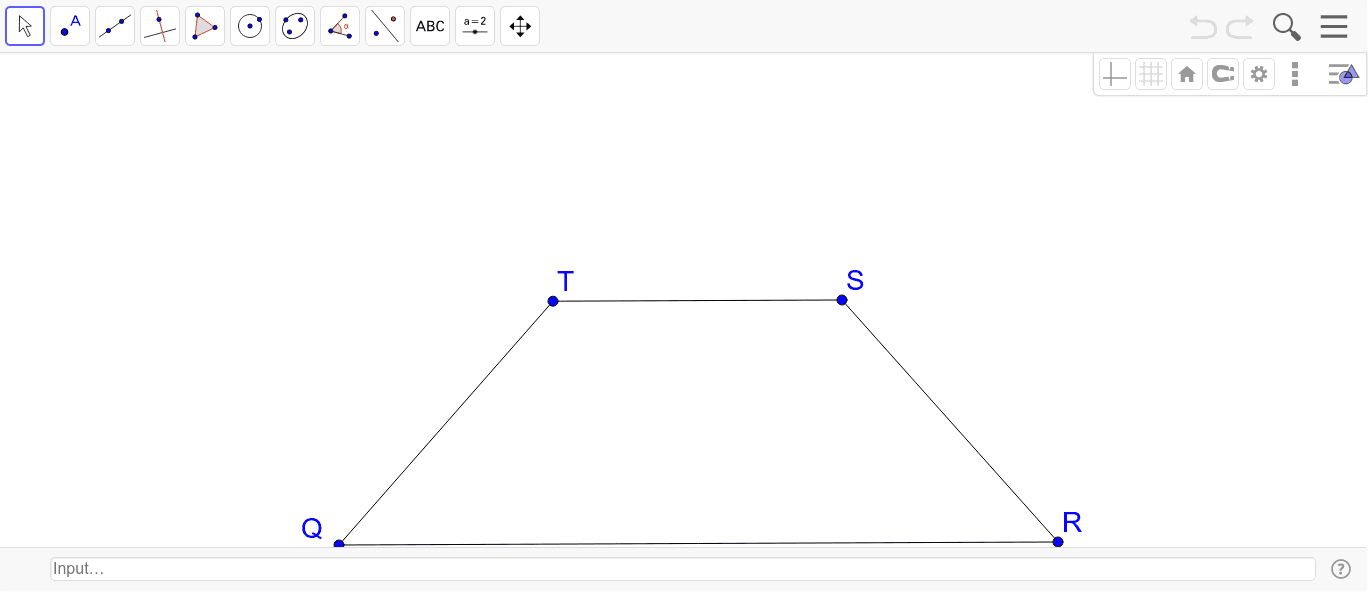
This example demonstrates the construction of an isosceles trapezoid, a special type of trapezoid with equal non-parallel sides. Key construction commands include Segment, Line, Circle, and Intersect. By adjusting sliders, observe the properties of the isosceles trapezoid. Suitable for middle and high school students learning geometric constructions and trapezoid properties.
GeoGebra Commands & Parameters
Segment(Q, R) → aLine(S, a) → bCircle(S, Segment[R, S]) → cCircle(Q, Segment[R, S]) → dIntersect(d, b, 2) → TSegment(Q, T) → eSegment(R, S) → fSegment(T, S) → g
AI Drawing Prompt Reference
Draw an isosceles trapezoid by first drawing two parallel line segments QR and RS, then drawing a circle centered at point S with radius RS, and another circle centered at point Q with the same radius, which intersect at point T. Connect points Q and T, R and S, and T and S to form the isosceles trapezoid.
The prompt above was compiled from the original drawing commands and is for reference only.