
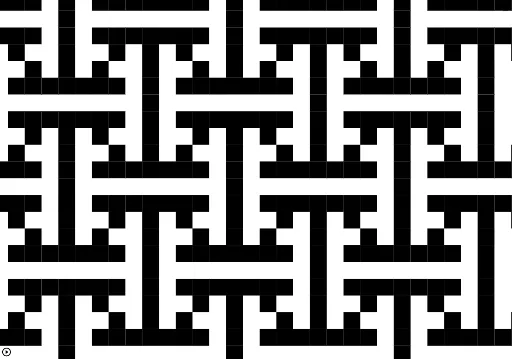
Islamic Art Random Tiling Group P4G
Loading the math board and drawing, please wait…
This example demonstrates how to make elements of a list (e.g., squares) appear randomly. It involves core math concepts like random experiments, translation, and polygon construction. Key GeoGebra commands used include Point, Intersect, Polygon, Sequence, Translate, and Flatten. Suitable for high school and above, exploring the intersection of stochastic processes and geometric transformations.
GeoGebra Commands & Parameters
Point(xAxis) → AIntersect(xAxis, yAxis) → BPolygon(A, B, 4) → poly1, f, g, h, i, C, DSequence(Translate[poly1, (0, k)], k, -3, 3) → l1Translate(Rotate[l1, 90°], (0, 5)) → l2Translate(Rotate[l1, 90°], (0, -3)) → l3Polygon(E, F, 4) → poly2, j, k, l, m, G, HPolygon(I, J, 4) → poly3, n, p, q, r, K, LPolygon(M, N, 4) → poly4, s, t, a, b, O, PPolygon(Q, R, 4) → poly5, c, d, e, f_1, S, TFlatten(l4) → l5Sequence(Translate[l5, (0, (10 * k))], k, (-nn), nn) → l6Sequence(Translate[l6, ((5 * k), (5 * k))], k, (-nn), nn) → l7Flatten(l7) → l8Sequence(Element[l8, Random[1, Length[l8]]], k, 1, 100 - n_1 / n_1) → l9