
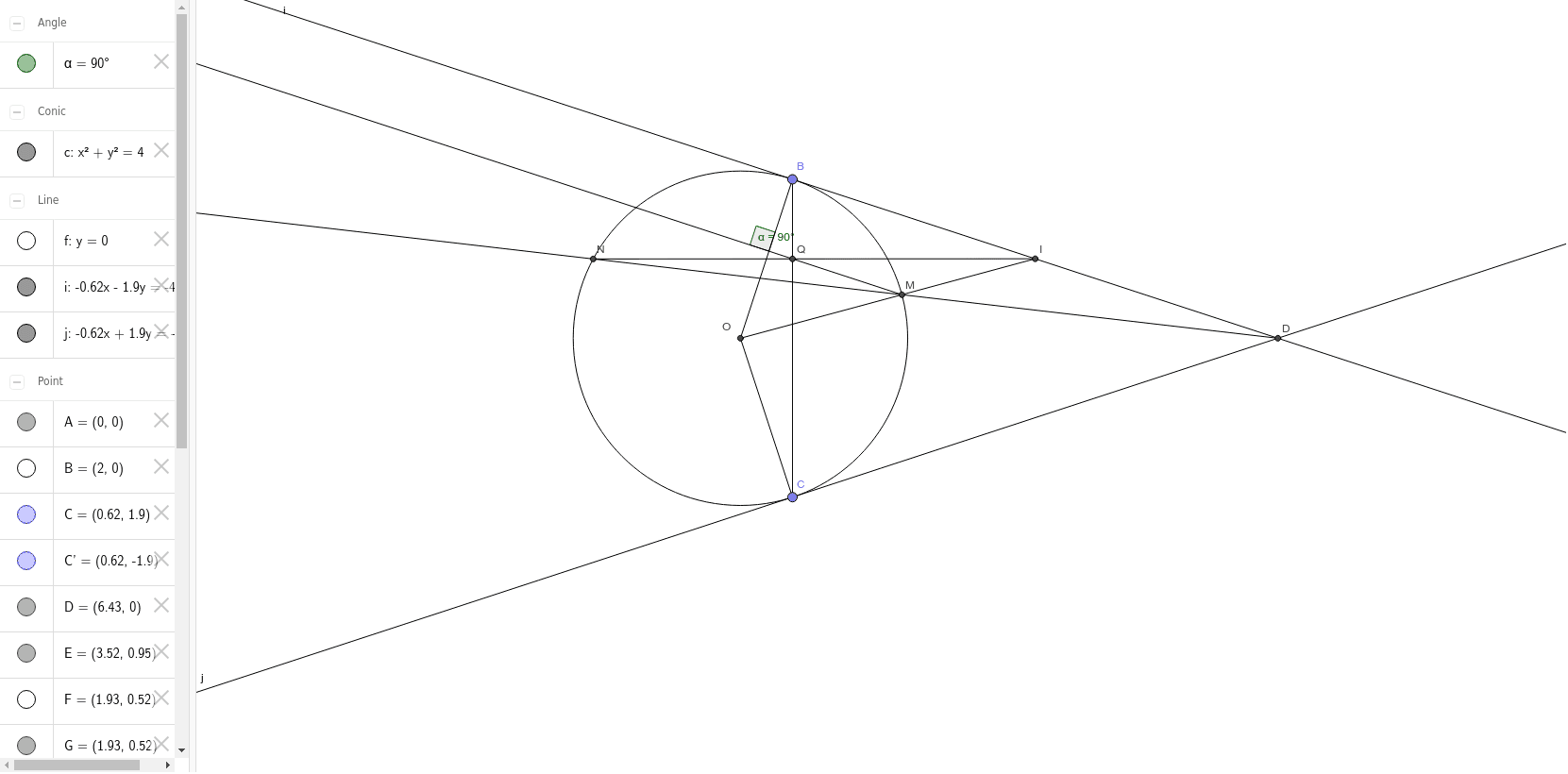
Is the intersection of MQ and OB always a right angle?
Loading the math board and drawing, please wait…
This example demonstrates whether the intersection of MQ and OB forms a right angle, involving core math concepts like coordinate geometry, angles, and geometric constructions. Key GeoGebra commands used include Intersect, Point, Circle, Line, OrthogonalLine, and Midpoint, making it suitable for high school students and math enthusiasts exploring geometric properties and constructions.
GeoGebra Commands & Parameters
Intersect(xAxis, yAxis) → APoint(xAxis) → BCircle(A, B) → cPoint(c) → CLine(A, B) → fMirror(C, f) → C'Segment(A, C) → gSegment(A, C') → hOrthogonalLine(C, g) → iOrthogonalLine(C', h) → jIntersect(i, j) → DMidpoint(C, D) → ESegment(A, E) → kIntersect(c, k) → F, JRay(D, F) → lIntersect(c, l) → G, HSegment(H, E) → mSegment(C, C') → nIntersect(m, n) → IRay(F, I) → pAngle(g, p) → α
AI Drawing Prompt Reference
Draw a coordinate plane with x and y axes. Mark their intersection as a point. Draw a circle centered at this point. Take a point on the circle. Connect the intersection point and this point. Draw the mirror image of this line. Connect the intersection point to the corresponding point on the mirror line. Draw perpendicular lines to both lines. The intersection of these perpendicular lines is the desired point. Connect the intersection point to this point and draw the line. Find its intersection with the circle. Draw a ray starting from this intersection. Find its intersection with the circle again. Connect these two intersection points. Find the intersection of this line with the mirror line. Draw a ray starting from this intersection. Find its intersection with the circle. Connect these two intersection points. Finally, measure the angle between the line connecting the intersection point and the first intersection point and the line connecting the intersection point and the second intersection point.
The prompt above was compiled from the original drawing commands and is for reference only.