
Investigation: Is SSS a Congruence Shortcut?
Loading the math board and drawing, please wait…
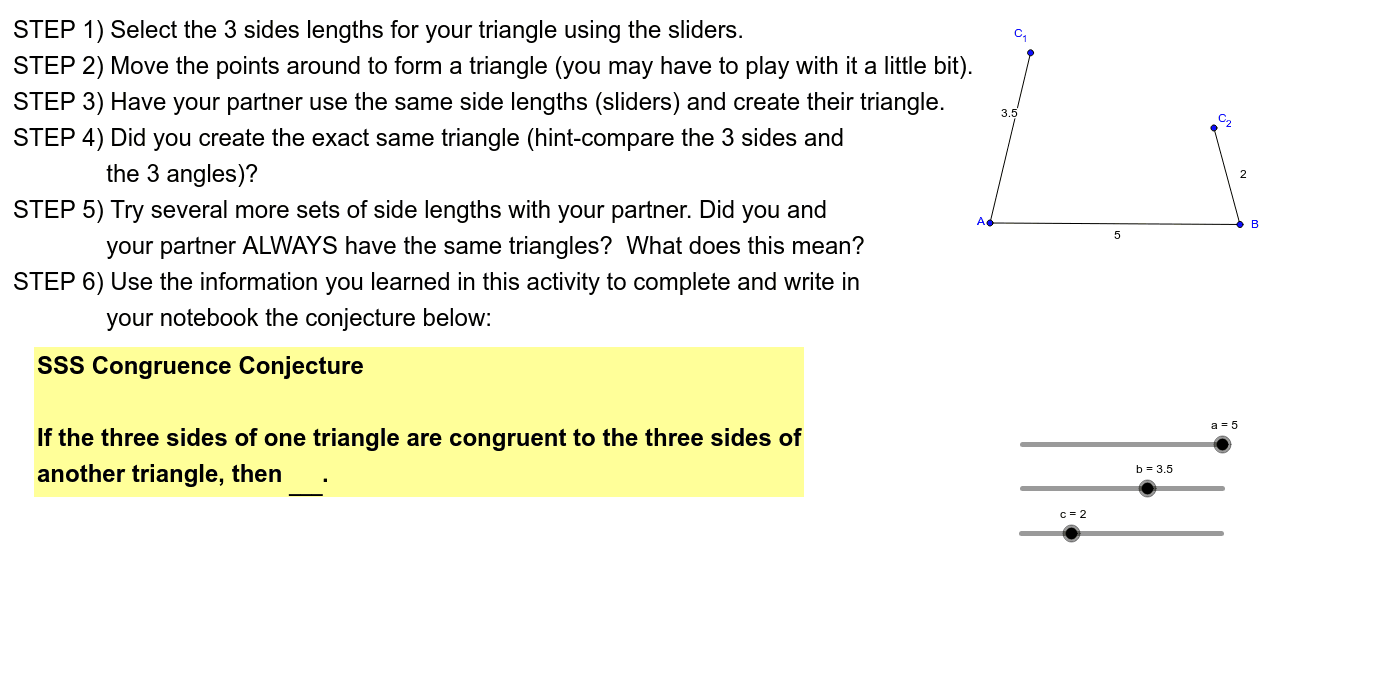
This example demonstrates how congruent triangles are created when all three sides are equal, exploring the SSS congruence criterion. It involves core math concepts like triangle congruence, geometric construction, and interactive exploration. Students use GeoGebra commands such as Circle, Point, Segment, Intersect, Polygon, and Angle to build and compare triangles. Ideal for middle school geometry lessons to visualize and understand the SSS postulate.
GeoGebra Commands & Parameters
Circle(A, a) → dPoint(d) → BSegment(A, B) → a_1Circle(A, b) → ePoint(e) → C_1Segment(A, C_1) → b_1Circle(B, c) → fPoint(f) → C_2Segment(B, C_2) → c_1Intersect(e, f, 1) → EPolygon(B, A, E) → poly1, e_1, b_2, a_2Segment(C_1, C_2) → gAngle(B, A, C_2) → αAngle(A, E, B) → βAngle(E, B, A) → γ
AI Drawing Prompt Reference
Draw a geometric illustration showing congruent triangles when all three sides are equal. Start by drawing a circle with a center point and a radius equal to one side's length, marking a point on the circle. Connect the center point to this point to form a line segment. Repeat this process to create two more line segments using the other two side lengths. Connect the intersection points of the circles to the center point, forming two triangles. Measure and label the interior angles of the triangles to observe their congruence.
The prompt above was compiled from the original drawing commands and is for reference only.