
Investigate Primary Trigonometric Ratios
Loading the math board and drawing, please wait…
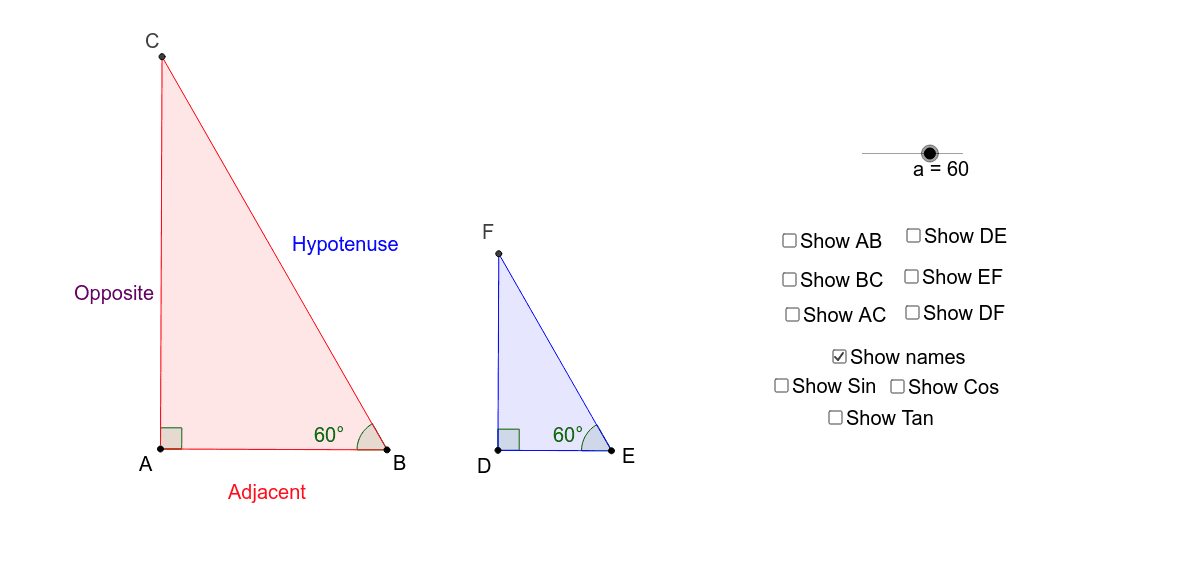
This example uses geometric elements like rotation, angle, and line to investigate primary trigonometric ratios. Key mathematical concepts include trigonometry, vectors, and angles. Using GeoGebra commands such as Rotate, Angle, and Line, dynamic observations of the relationship between triangle side lengths and angles can be made. Suitable for middle school and above students to learn trigonometry and geometric construction.
GeoGebra Commands & Parameters
Rotate(A, (-(a°)), B) → A'Angle(A', B, A) → αLine(A, B) → bOrthogonalLine(A, b) → cLine(A', B) → dIntersect(c, d) → CAngle(B, A, C) → βPolygon(B, A, C) → poly1, c_1, b_1, a_1Point(b) → DPoint(b) → ERotate(D, (-(a°)), E) → D'Angle(D', E, D) → γOrthogonalLine(D, b) → eLine(D', E) → fIntersect(e, f) → FPolygon(E, D, F) → poly2, f_1, e_1, d_1Angle(E, D, F) → δSegment(F, E) → gSegment(F, D) → hSegment(D, E) → iSegment(B, A) → jSegment(C, A) → kSegment(C, B) → l
AI Drawing Prompt Reference
Draw a segment AB, erect a perpendicular at A, rotate A about B by a given angle a to get A', join A'B to meet the perpendicular at C, forming right triangle ABC with angle B = a and angle A = 90°. Then choose points D and E on AB, rotate D about E by the same angle a to get D', erect a perpendicular at D, join D'E to meet that perpendicular at F, forming right triangle EDF with angle E = a and angle D = 90°. The two triangles are similar; show all side segments.
The prompt above was compiled from the original drawing commands and is for reference only.