
Introduction to Geometric Transformations and Quadrilaterals
Loading the math board and drawing, please wait…
In collections
Slippery surface
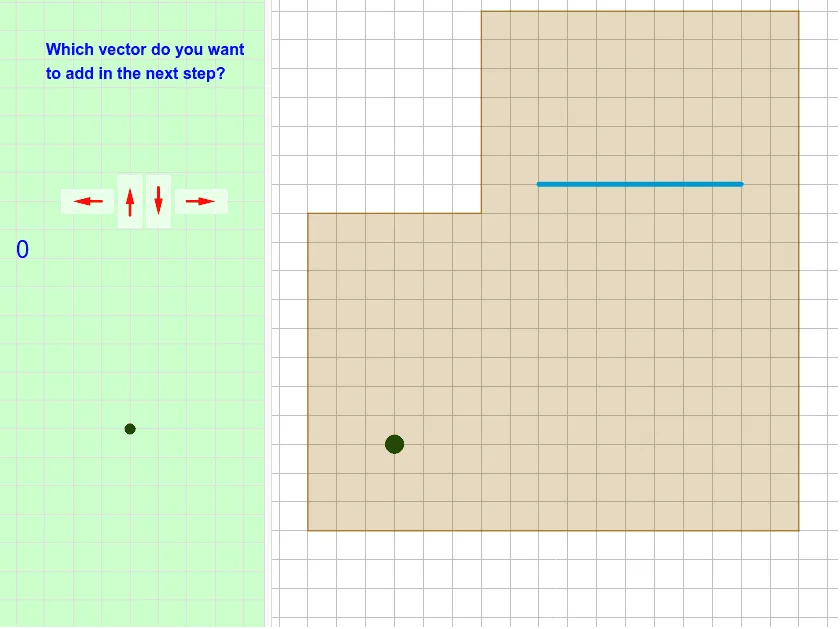
①This example demonstrates how to construct and observe a series of quadrilaterals (including parallelograms/rhomboids) and their related elements (vertices, sides, diagonals, tangents, and box plots) using translations and polygon tools in GeoGebra. ②Core mathematical concepts include polygons (especially quadrilaterals and parallelograms), vector translation, geometric transformations, tangents, and statistical box plots (Diagrama de cajas), highlighting the intersection of algebra and geometry. ③Construction highlights: from the summary, the commands used are Polygon, Segment, Intersect, Vector, PolyLine, and Translate, with many named objects (A_1 to Z, etc.) created via translation to form a series of figures, including tangent line elements. ④Suitable for middle and high school geometry instruction, this example helps students understand properties of quadrilaterals, the geometric meaning of vector translation, and construction methods in dynamic geometry software, serving as an introductory exploration for teachers or students.
GeoGebra Commands & Parameters
Polygon(E, F, B, N, O, R, S, T, U, V, W, Z, G, A_1, B_1, C_1, D_1, E_1, F_1, G_1, H_1, I_1, J_1, H, K_1, L_1, M_1, N_1, O_1, P_1, Q_1, R_1, I, J, K, L, M, A) → camino, c, m, p, q, i_1, s_1, t_1, c_2, d_2, e_2, f_2, d, g_2, h_2, j_2, k_2, l_2, m_2, n_2, p_2, q_2, r_2, e, s_2, t_2, a_3, b_3, c_3, d_3, e_3, f_3, g_3, f, g, h, j, k, lSegment(Q, P) → segmentoIntersect(segmento, camino) → corte, corte_1, corte_2, corte_3Segment(C, D) → llegadaIntersect(llegada, segmento) → corteganadorVector(ejemplo, ejemplopunta) → ejemplovectorPolyLine(listarastro) → rastroVector(controles + (1, 1), controles + (0, 1)) → izqVector(controles + (2, 0.5), controles + (2, 1.5)) → arrVector(controles + (3, 1.5), controles + (3, 0.5)) → abaVector(controles + (4, 1), controles + (5, 1)) → derVector(ejemplo, puntoexplicado) → vectorexplicado_1Vector(puntoexplicado, ejemplopunta) → vectorexplicado_2Vector(P, P + (i * (Q - P))) → segmentovisiblePolygon((0, 0), (0.8, 0), (0.8, 1.8), (0, 1.8)) → rectangulito, rectangulito_2, rectangulito_3, rectangulito_4, rectangulito_5Translate(Rotate[rectangulito, 90*°], controles + (5.4, 0.6)) → der_FTranslate(rectangulito, controles + (2.6, 0.1)) → aba_FTranslate(rectangulito, controles + (1.6, 0.1)) → arr_FTranslate(Rotate[rectangulito, 90*°], controles + (1.4, 0.6)) → izq_F
AI Drawing Prompt Reference
Draw a complex figure composed of multiple quadrilaterals, including parallelograms and rhomboids, arranged in a series via translations. Include vertices, sides, diagonals, and tangent elements. A segment intersects the polygon, creating several intersection points, one marked as the winning point. Show a vector indicating translation direction, and multiple vectors for different directions. Add a rectangle, then rotate and translate it to create four small rectangles pointing up, down, left, and right. Finally, connect a series of points with a polyline to form a path. The overall figure illustrates geometric transformations and quadrilateral properties.
The prompt above was compiled from the original drawing commands and is for reference only.