
Introduction to Equations of Lines
Loading the math board and drawing, please wait…
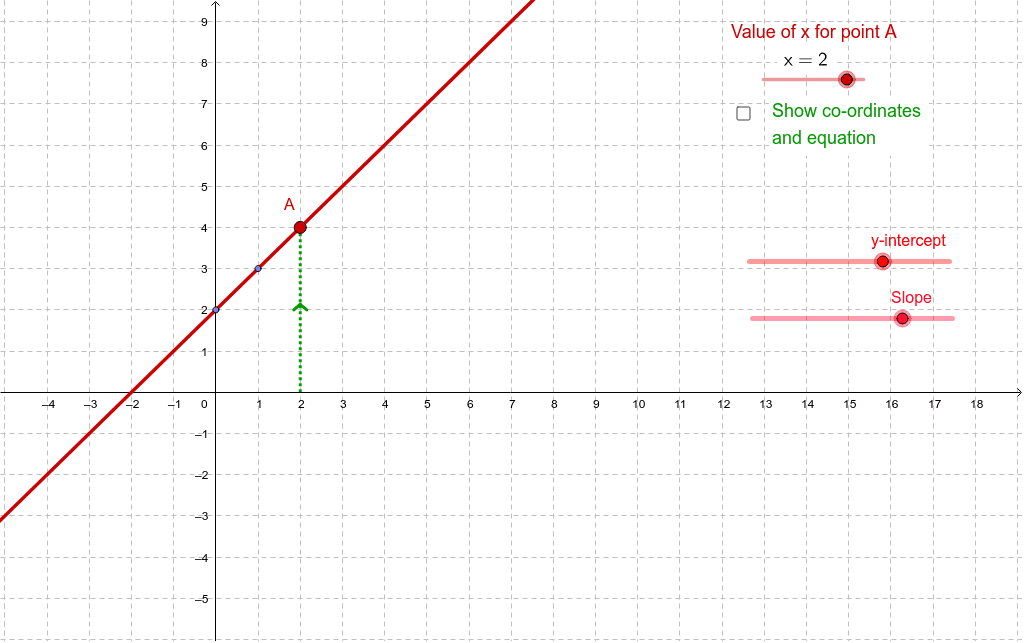
This example demonstrates how the coordinates of a point on a line satisfy the equation of that line. It involves core math concepts like linear equations and coordinate geometry. Construction uses commands such as Line, Intersect, and Segment with objects like i, h, D, j, E, a, e, A, f, text1, b, c, B, C, g, text2, d, text4, text3, text5. Suitable for middle school students and above learning about linear equations and coordinate geometry.
GeoGebra Commands & Parameters
Line(D, E) → aIntersect(a, e) → ALine(A, yAxis) → bLine(A, xAxis) → cIntersect(c, yAxis) → BIntersect(b, xAxis) → CSegment(A, B) → gSegment(C, A) → d
AI Drawing Prompt Reference
Draw a line and select a point on it, then find its intersections with the x-axis and y-axis. Connect the origin to each intersection point and draw line segments between the intersections. Finally, connect the two intersection points to illustrate the relationship between the line and the coordinate axes, showing how the coordinates of the point satisfy the line's equation.
The prompt above was compiled from the original drawing commands and is for reference only.