
Intersection of Two Planes by Linda Fahlberg-Stojanovska
Loading the math board and drawing, please wait…
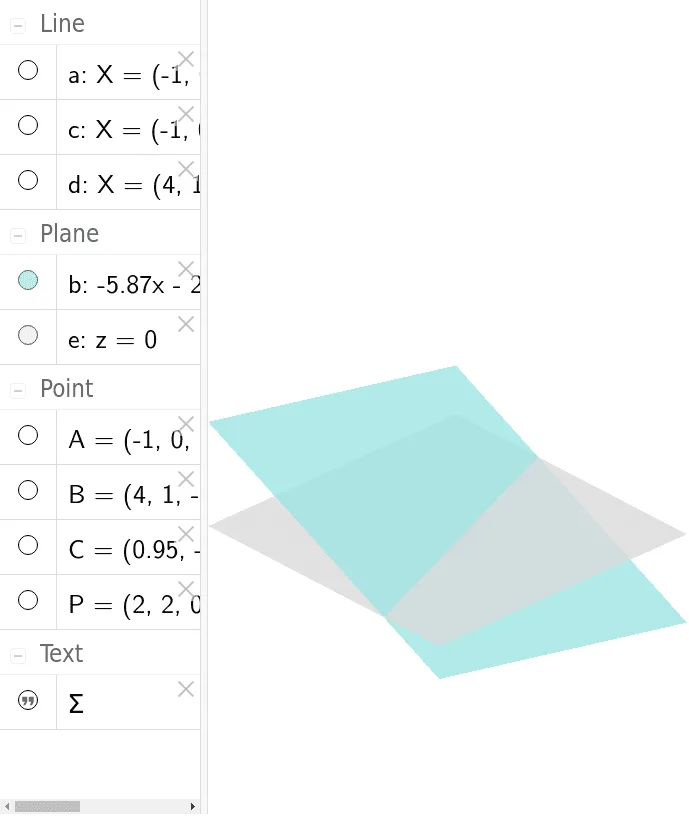
This example demonstrates the intersection of two planes, covering scenarios like non-parallel, identical parallel, and intersecting planes. Key math concepts include plane equations, intersection point calculation, and spatial geometric relationships. It uses GeoGebra commands like Line and Plane with objects A, B, a, C, b, c, d, e, P, text1. Suitable for high school solid geometry education to visually understand spatial relationships between planes.
GeoGebra Commands & Parameters
Line(A, B) → aPlane(A, B, C) → bLine(A, C) → cLine(B, C) → dPlane((0, 0, 0), (1, 0, 0), (0, 1, 0)) → e
AI Drawing Prompt Reference
Draw the intersection lines of two planes, covering non-parallel, parallel, and intersecting cases. First, draw points A, B, and C. Then, use points A, B, and C to draw plane b. Next, use points A and C to draw line c, and use points B and C to draw line d. Finally, use the origin, x-axis direction vector, and y-axis direction vector to draw plane e.
The prompt above was compiled from the original drawing commands and is for reference only.