
Intersection of a Sphere and a Plane: Constructing and Visualizing the Spatial C
Loading the math board and drawing, please wait…
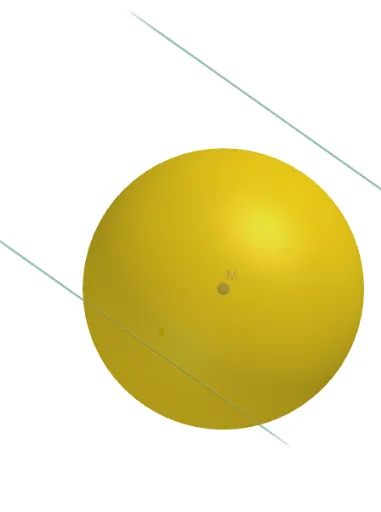
This example demonstrates the geometric construction and dynamic visualization of the intersection curve between a sphere and a plane in 3D space, which is a spatial circle (a great circle if the plane passes through the sphere's center, otherwise a small circle). The core mathematical concepts involve solid geometry, including the equations of a sphere and a plane, parametric representation of a spatial circle, and the generation of intersection paths. Key construction steps: using GeoGebra's Sphere command to create the sphere, the IntersectPath command to obtain the intersection curve between the sphere and the plane, and Point, Segment, and PointIn commands to place points, segments, and interior points on the curve, thereby clearly showing the shape and position of the intersection. This example is suitable for high school or early college solid geometry lessons, helping students understand spatial cross-sections, and can also be used for mathematical experiments or dynamic geometry explorations to enhance 3D visualization and spatial reasoning skills.
GeoGebra Commands & Parameters
Sphere(M, 3) → aIntersectPath(p1, a) → cPoint(c) → PSegment(M, P) → RPointIn(p1) → CSegment(M, C) → dSegment(C, P) → rIntersectPath(p2, a) → e
AI Drawing Prompt Reference
Draw a sphere with radius 3 centered at point M in 3D space. Add a plane that intersects the sphere, producing a circular intersection curve. Place a point P on this curve, and draw a segment from M to P. Choose a point C on the plane, then draw segments from M to C and from C to P. Finally, add a second plane intersecting the same sphere, creating another circular intersection curve. Show all these objects together to illustrate the spatial relationships among the sphere, the two planes, the two intersection circles, and the connecting segments.
The prompt above was compiled from the original drawing commands and is for reference only.