
Intersection of a Plane and a Cube
Loading the math board and drawing, please wait…
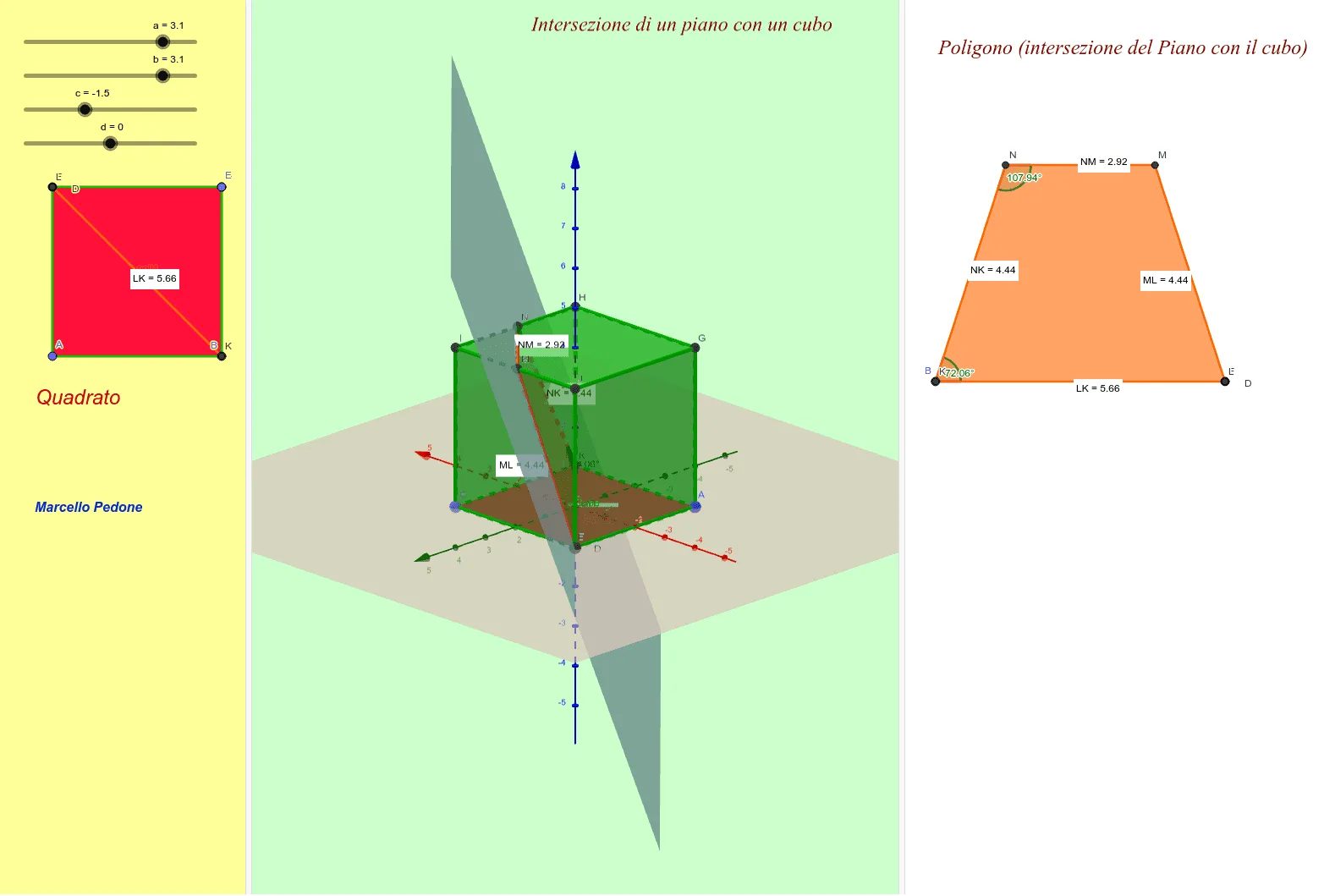
This example demonstrates the intersection line formed when a plane intersects a cube. Key mathematical concepts include the intersection of a plane and a solid in solid geometry. Using GeoGebra commands such as Polygon, Point, and Cube, a cube is constructed and a plane is drawn. Suitable for high school geometry education.
GeoGebra Commands & Parameters
Polygon(A, B, 4) → poli1, f, g, h, i, C, DPoint(Circle[B, Distance[A, B], Segment[A, B]]) → ECube(A, B, E) → Cubo, F, facciaEFJI, facciaGHIJ, spigoloAF, spigoloAB, spigoloBE, spigoloEF, spigoloAG, spigoloFJ, spigoloGJ, spigoloGH, G, spigoloBH, spigoloHI, spigoloEI, spigoloIJ, H, I, J, facciaABEF, facciaAFJG, facciaABHG, facciaBEIHIntersectPath(Piano, Cubo) → poli2, K, m, n, p, L, M, N, O, P, j, k, lDistance(N, M) → distanzaNMDistance(M, L) → distanzaMLDistance(L, K) → distanzaLKDistance(N, K) → distanzaNKAngle(L, K, N, poli2) → αAngle(K, N, M, poli2) → βPointIn(poli2) → Puntopoli2
AI Drawing Prompt Reference
Draw the intersection of a plane and a cube. First, construct a cube. Then, draw a plane that intersects the cube. Mark the resulting polygon and measure the lengths of its sides and the angles.
The prompt above was compiled from the original drawing commands and is for reference only.