
Intersection of a Cone and a Tetrahedron
Loading the math board and drawing, please wait…
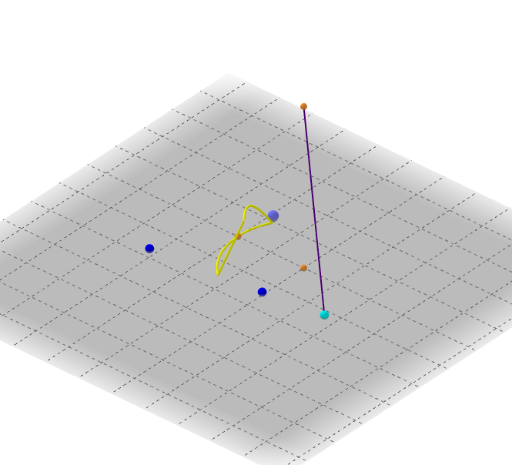
This example demonstrates the intersection of a cone and a tetrahedron, involving core mathematical concepts like cones, intersections, sine functions, polynomial functions, planes, complex numbers, and cubes. It is constructed using GeoGebra commands such as Circle, OrthogonalLine, Point, Cone, Segment, Distance, Midpoint, Tetrahedron, Intersect, and Locus. Suitable for high school solid geometry teaching and introductory mathematical modeling.
GeoGebra Commands & Parameters
Circle(A, B) → cOrthogonalLine(A, xOyPlane) → fPoint(f) → DCone(c, Distance[A, D]) → b, d, ePoint(c) → FSegment(D, F) → gDistance(A, B) → jMidpoint(A, B) → EPoint(Circle[Midpoint[C, G], (Distance[C, G] * sqrt(3) / 2), Segment[C, G]]) → ITetrahedron(C, G, I) → a, J, arestaIJ, arestaGJ, caraCGI, caraCIJ, caraCGJ, caraGIJ, arestaCI, arestaCG, arestaGI, arestaCJIntersect(g, caraCGI) → KIntersect(g, caraCGJ) → LIntersect(g, caraCIJ) → MIntersect(g, caraGIJ) → NLocus(K, F) → LlocGeomètric1Locus(L, F) → LlocGeomètric2Locus(M, F) → LlocGeomètric3Locus(N, F) → LlocGeomètric4