
Interior and Exterior Angles in Regular Polygons
Loading the math board and drawing, please wait…
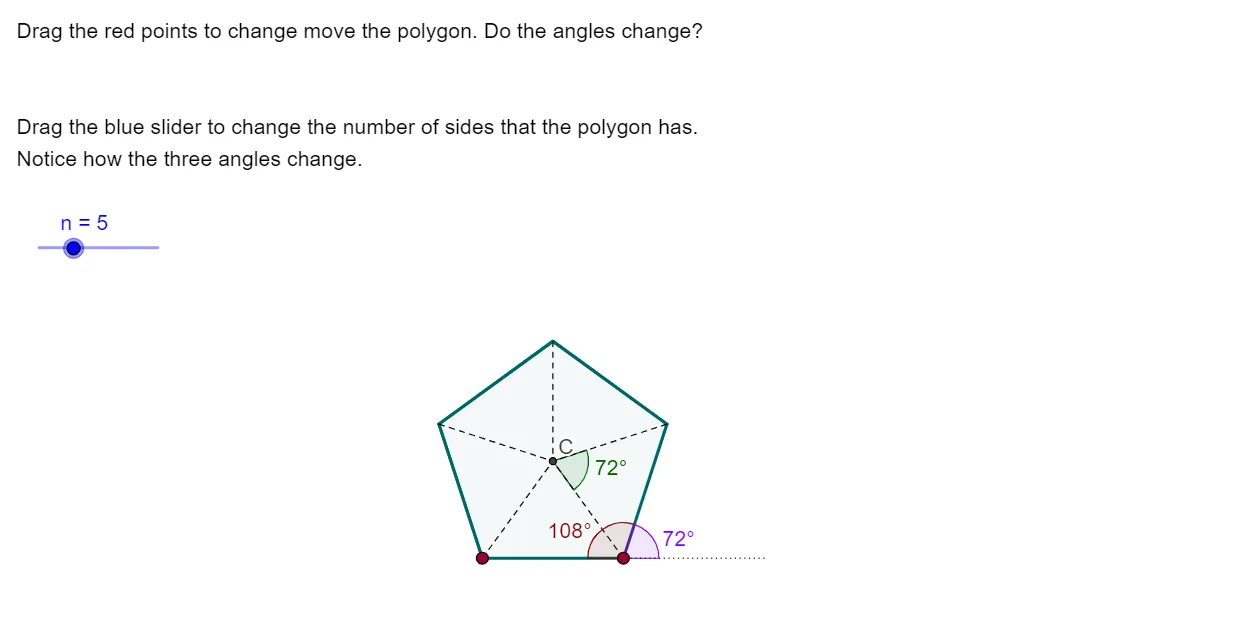
This GeoGebra example generates a range of regular polygons and lets you observe how the interior angle and the exterior (turning) angle change as the number of sides n varies. It emphasizes the key geometric relationships between polygon edge count and angle measures, using the idea that exterior angles correspond to the incremental rotation along the polygon. Construction focuses on Polygon to draw each regular shape (poly1), Angle to mark and measure interior/exterior angles (e.g., a_1, a, and α), and Vector plus Segment to build the polygon’s vertices and edges consistently. LineBisector is used to create angle bisectors, while Intersect finds key intersection points to support accurate angle annotation and reference geometry (points such as C_1, D, E, …, and parameters/labels like λ, μ, text1). Ideal for middle-school to early university geometry, especially for interactive exploration of angle formulas and visual verification of theoretical results.
GeoGebra Commands & Parameters
Polygon(A, B, n) → poly1, a_1, i, j, k, C_1, D, E, F, G, H, I, b, J, K, L, c, d, e, a, f, g, hAngle((4.380000000000001, 2.02), C_1, B) → λAngle(C_1, B, A) → μVector(A, B) → uSegment(M, B) → lAngle(M, B, C_1) → αLineBisector(A, B) → mLineBisector(B, C_1) → pIntersect(p, m) → CSegment(A, C) → qSegment(B, C) → rSegment(C_1, C) → sSegment(D, C) → tSegment(E, C) → b_1Segment(F, C) → c_1Segment(G, C) → d_1Segment(H, C) → e_1Segment(I, C) → f_1Segment(J, C) → g_1Angle(B, C, C_1) → β
AI Drawing Prompt Reference
Draw a regular polygon and observe how its interior and exterior angles change with the number of sides. First, draw the polygon, mark and measure its interior and exterior angles, then use vectors and segments to construct the polygon's sides, find key intersection points with angle bisectors, and label the angles.
The prompt above was compiled from the original drawing commands and is for reference only.