
Interactive Trapezoid Construction and Geometry Relations in GeoGebra
Loading the math board and drawing, please wait…
In collections
The GeoGebra's Toolbox for Teachers and Students
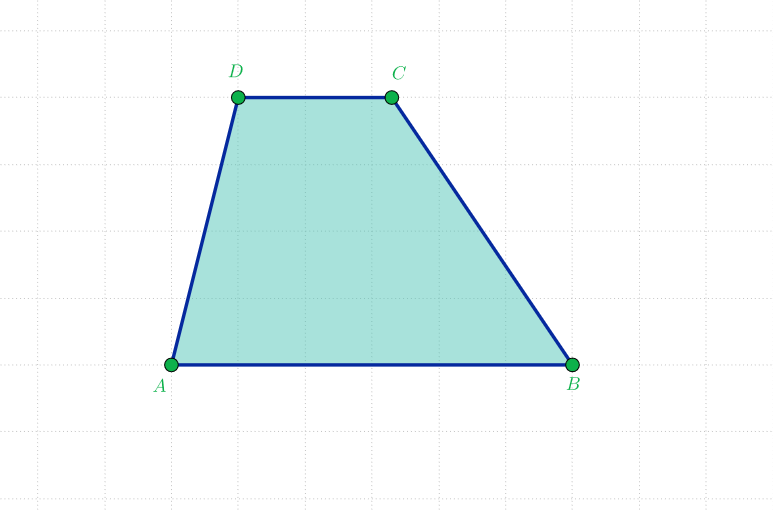
This example demonstrates how to interactively construct a trapezium/trapezoid in GeoGebra and visually explore the resulting geometric relationships through dynamic construction. Key concepts include trapezoid geometry, basic polygon construction, and the way geometric configurations can support further reasoning (e.g., measurements or related ideas such as secant-line setups and Pythagorean-style thinking when distances/lengths are examined). Construction focuses on GeoGebra commands from the provided construction summary: Segment, Ray, Point, and Polygon. Points are defined and connected using Segment/Ray, while Polygon is used to form the trapezoid as a quadrilateral; the listed objects (e.g., points A, B, C, D and auxiliary points/parts like a, b, f, a_1, b_1, c_1, d, and poli1) serve as the drivers for the trapezoid’s boundary and its supporting constructions. Suitable for middle/high school geometry lessons, classroom demos, and student explorations of geometric construction and interactive learning.
GeoGebra Commands & Parameters
Segment(A, B) → bRay(D, Vector[UnitVector[b]]) → fSegment(A, B) → aPoint(f) → CPolygon(A, B, C, D) → poli1, a_1, b_1, c_1, d
AI Drawing Prompt Reference
Draw a trapezoid ABCD with A and B as the two vertices of the base, C as the intersection of the extension of the base and a ray from point D, and D as the other vertex of the trapezoid. Use a segment to connect A and B, then draw a ray from D to the extension of the base, and finally construct the trapezoid ABCD using points C and D.
The prompt above was compiled from the original drawing commands and is for reference only.