
Interactive Sphere and Coordinate Demo
Loading the math board and drawing, please wait…
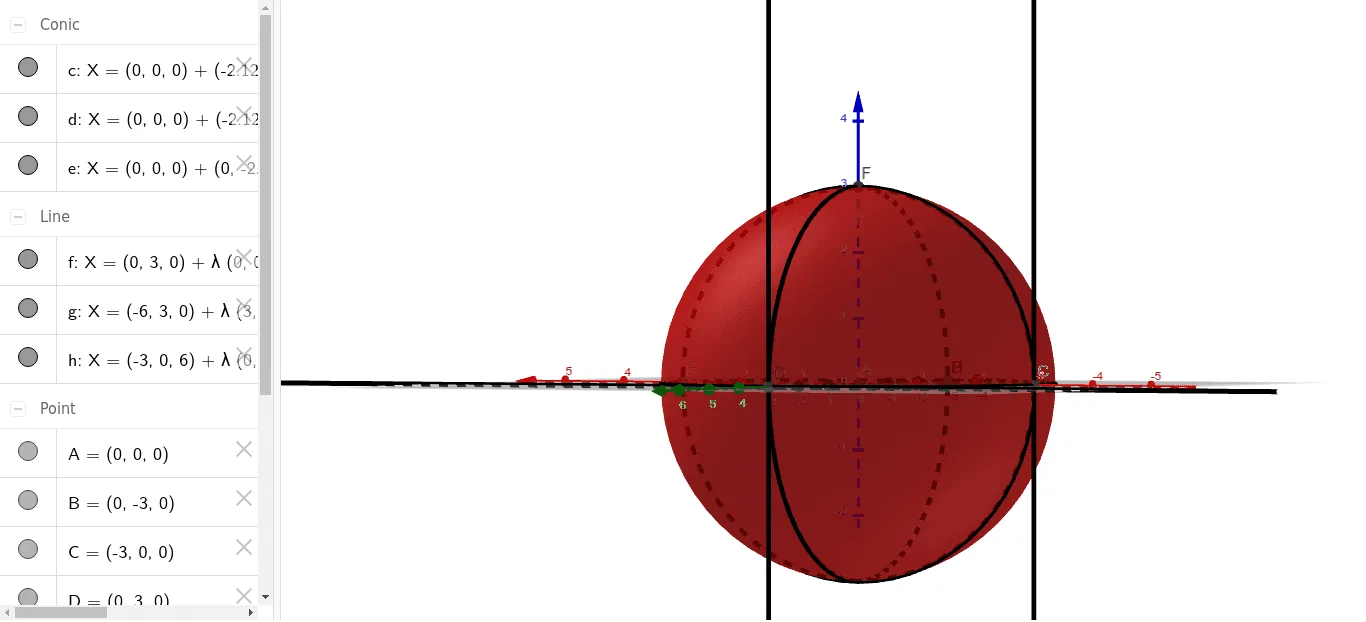
This example demonstrates the position and properties of a sphere in a 3D coordinate system interactively; involves core math concepts including sphere equations, coordinate geometry, conditional probability, binomial distribution, hypothesis testing; construction highlights use of GeoGebra commands like Intersect, Sphere, Circle, Tangent and objects A, a, B, C, D, c, E, F, d, G, H, e, f, g, h; suitable for high school and above students/teachers for teaching/exploring solid geometry, probability & statistics, and analytical geometry.
GeoGebra Commands & Parameters
Intersect(xAxis, zAxis) → ASphere(A, 3) → aIntersect(yAxis, a, 1) → BIntersect(xAxis, a, 1) → CIntersect(yAxis, a, 2) → DCircle(B, C, D) → cIntersect(xAxis, c, 1) → EIntersect(zAxis, a, 2) → FCircle(E, F, C) → dIntersect(yAxis, c, 1) → GIntersect(yAxis, c, 2) → HCircle(D, F, B) → eTangent(G, e) → f,Tangent(G, c) → g,Tangent(C, d) → h,