
Interactive Regular Polygon Construction
Loading the math board and drawing, please wait…
In collections
The GeoGebra's Toolbox for Teachers and Students
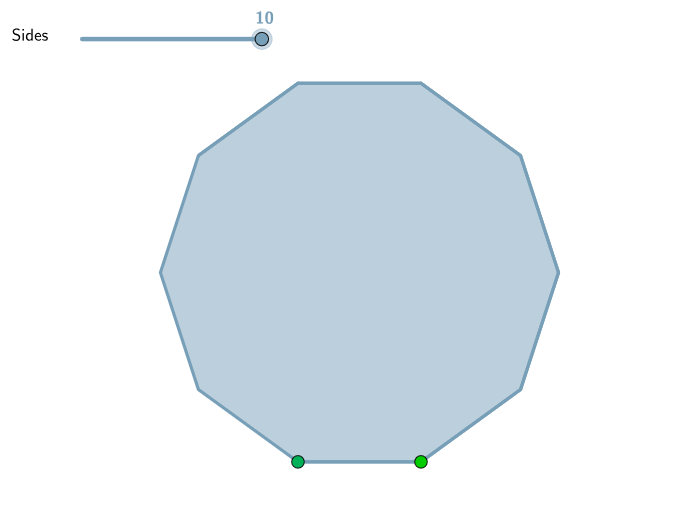
This GeoGebra example demonstrates how to construct regular polygons with any number of sides. Using a slider to control the parameter n (starting from 3), users define two points A and B to determine one side of the polygon, and the tool automatically generates the regular polygon. Key mathematical concepts covered include interior angle formulas, exterior angle bisectors, symmetry properties, and the relationship between apothem and radius. Construction highlights: the Polygon[A,B,n] command generates the regular polygon in one step, while slider animation shows the continuous transformation as side numbers change, helping students observe how interior angles ((n-2)*180°/n) vary with n. Suitable for middle school polygon units and high school symmetry exploration, this tool serves as an intuitive visual aid for understanding inscribed regular polygons and central angles.
GeoGebra Commands & Parameters
Polygon(A, B, n) → poli1, a, j, k, l, m, p, q, r, s, t, a_1, b, b_1, c_1, d_1, e_1, f_1, g_1, h_1, i_1, j_1, k_1, c, l_1, C, D, E, F, G, H, I, J, K, d, L, M, N, O, P, Q, R, S, T, U, e, V, W, Z, A_1, B_1, C_1, D_1, E_1, F_1, f, g, h, i
AI Drawing Prompt Reference
Draw a regular polygon with any number of sides, controlled by a slider. Two points define one side, and the polygon is automatically generated based on the number of sides. Note that the number of sides affects the size of the interior angles, which can be calculated using the formula (number of sides - 2) * 180° / number of sides.
The prompt above was compiled from the original drawing commands and is for reference only.