
Interactive Rectangle for Teaching
Loading the math board and drawing, please wait…
In collections
The GeoGebra's Toolbox for Teachers and Students
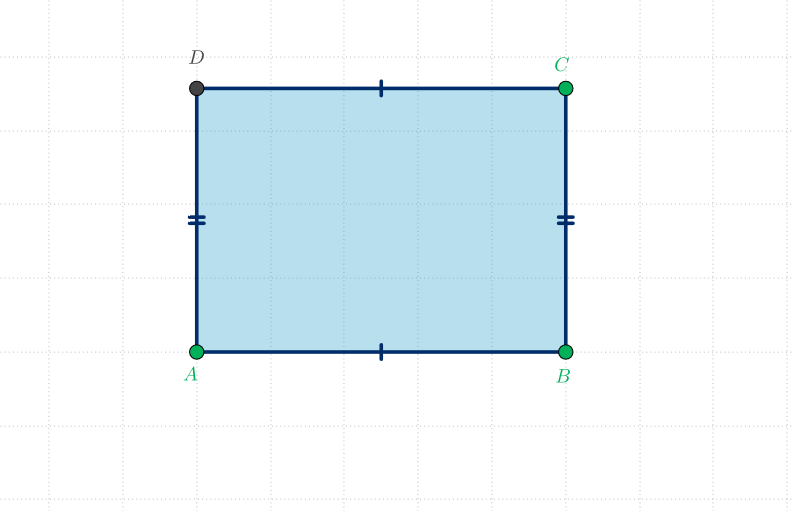
This example is an interactive shape for teaching and learning mathematics with GeoGebra. It demonstrates the geometric properties and transformations of a rectangle. Key math concepts include polygons, quadrilaterals, derivatives, similarity transformations, statistics, tangent functions, and integral calculus. Construction highlights the use of GeoGebra commands like Segment, OrthogonalLine, Point, Intersect, and Polygon. Suitable for middle school and above mathematics education and geometry learning.
GeoGebra Commands & Parameters
Segment(A, B) → aOrthogonalLine(A, a) → bOrthogonalLine(B, a) → cPoint(c) → COrthogonalLine(C, c) → dIntersect(b, d) → DPolygon(A, B, C, D) → poli1, a_1, b_1, c_1, d_1
AI Drawing Prompt Reference
Draw a rectangle with four vertices A, B, C, D. The construction order is to draw segment AB, then perpendicular lines a and c, point C on c, then perpendicular line d, and finally intersection point D. This shows geometric properties of a rectangle, suitable for math teaching.
The prompt above was compiled from the original drawing commands and is for reference only.