
Interactive Rectangle and Triangle
Loading the math board and drawing, please wait…
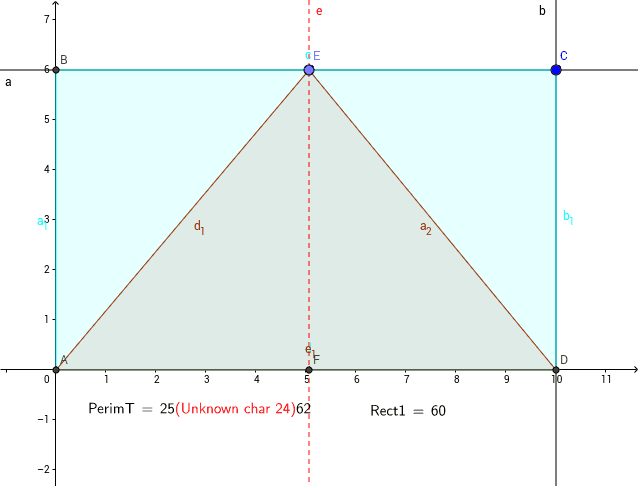
This example demonstrates interactive calculations of area and perimeter for rectangles and triangles. It involves core math concepts like area, perimeter, and coordinate geometry. Construction highlights include using GeoGebra commands such as Intersect, OrthogonalLine, Polygon, Point, and LaTeX. Suitable for middle school and above learners to understand basic geometric properties and calculation methods.
GeoGebra Commands & Parameters
Intersect(xAxis, yAxis) → AOrthogonalLine(C, yAxis) → aOrthogonalLine(C, xAxis) → bIntersect(a, yAxis) → BIntersect(b, xAxis) → DPolygon(A, B, C, D) → poly1, a_1, c, b_1, dPoint(c) → EOrthogonalLine(E, d) → ePolygon(A, E, D) → poly2, d_1, a_2, e_1Intersect(e, d) → FLaTeX(Rect1, true, true) → text2LaTeX(PerimT, true, true) → text1