
Interactive Quiz on Multiplication and Division of Directed Numbers
Loading the math board and drawing, please wait…
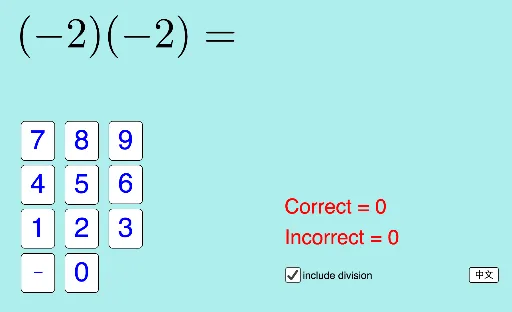
This GeoGebra example demonstrates an interactive randomized quiz for multiplication and division of directed numbers (signed integers and rationals), featuring a numeric keypad, instant correctness feedback, and score tracking. Core mathematical concepts include sign rules for multiplying and dividing positive and negative numbers, absolute value and sign determination, integer arithmetic, and automated assessment logic. Construction follows the source summary: the If command handles conditional feedback and answer validation; RandomElement and Random generate random questions, options, and signs; objects such as division, qtype, MaxNum, signA, signB, a, b store problem parameters, while textAns, inputAns, buttonConfirm, buttonNext, buttonClear, buttonNeg, and numeric buttons build the input interface; picCorrect and picWrong provide visual feedback. Suitable for middle school mathematics (rational numbers unit), classroom drills, self-paced practice, and technology-enhanced math education.
GeoGebra Commands & Parameters
If(division, Random[1, 4], Random[1, 3]) → qtypeRandomElement({"+", "-"}) → signBRandom(1, MaxNum) → bIf(signB ≟ "+", b, (-b)) → b'Random(1, MaxNum) → aRandomElement({"+", "-"}) → signAIf(signA ≟ "+", a, (-a)) → a'If(qtype ≟ 1 ∨ qtype ≟ 2, (a' * b'), qtype ≟ 3, a' + b', qtype ≟ 4, b') → answerRandomElement({text4a, text4b}) → text4If(qtype ≟ 1, text1, qtype ≟ 2, text2, qtype ≟ 3, text3, qtype ≟ 4, text4) → textQ
AI Drawing Prompt Reference
Create an interactive randomized quiz interface for multiplication and division of directed numbers (signed integers and rationals). Randomly select the problem type (multiplication or division) and generate two numbers by choosing their absolute values and independently assigning a positive or negative sign to each; form the correct signed answer according to the selected operation. Display the question in text form, provide an input area with a numeric keypad for entering an answer, and include buttons for confirm, next question, and clear. Add visual feedback indicators for correct and incorrect responses, along with any score/status text if you include it. Construct in sequence: choose the type, generate the signed operands, compute the answer, render the question text, then lay out the interaction controls.
The prompt above was compiled from the original drawing commands and is for reference only.