
Interactive Quadric Surfaces Demo
Loading the math board and drawing, please wait…
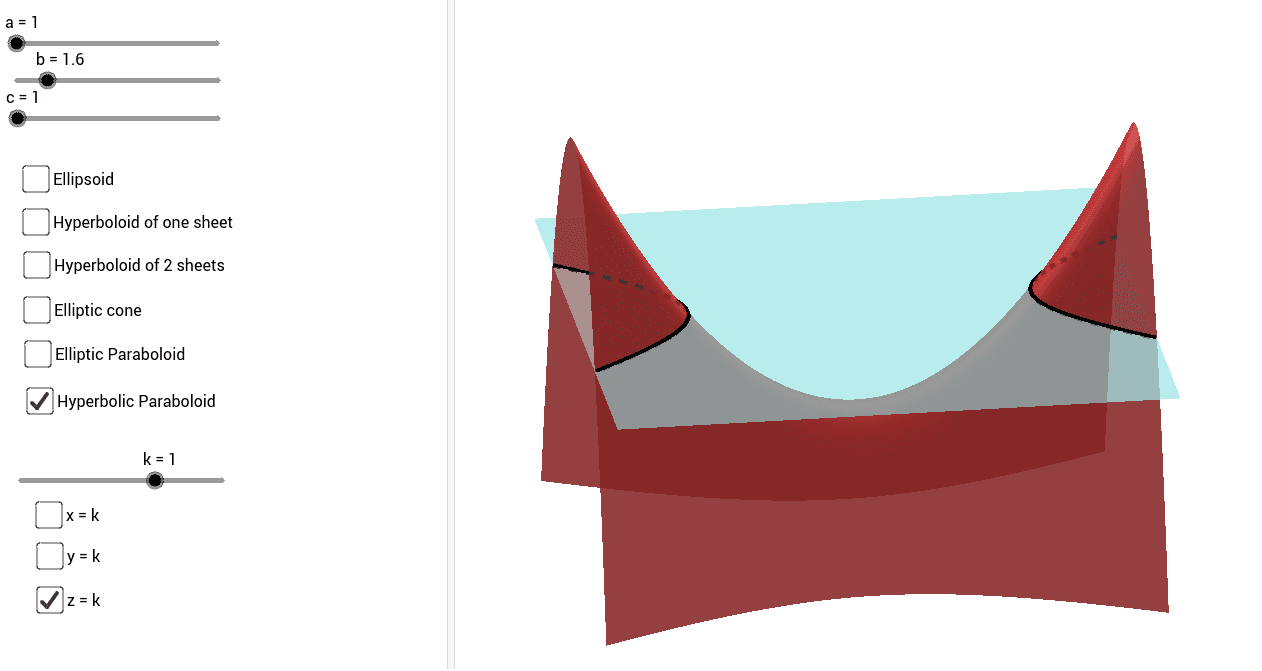
This example demonstrates the geometric shapes and properties of quadric surfaces interactively. Key math concepts include quadric surfaces, coordinate geometry, and 3D transformations. Construction highlights involve using GeoGebra commands like IntersectPath with objects a-g, j-k, l-n, p-r, s-t, u-v, w-q, c_1-t_1, c_2-f_2 for intersection calculations and visualizations. Suitable for high school students and math enthusiasts exploring 3D geometry and quadratic equations applications.
GeoGebra Commands & Parameters
IntersectPath(l, d) → qIntersectPath(n, d) → c_1IntersectPath(p, d) → d_1IntersectPath(l, f) → e_1IntersectPath(n, f) → f_1IntersectPath(p, f) → g_1IntersectPath(n, e) → h_1IntersectPath(p, e) → k_1IntersectPath(l, e) → p_1IntersectPath(n, j) → q_1IntersectPath(p, j) → r_1IntersectPath(l, j) → s_1IntersectPath(n, g) → t_1IntersectPath(p, g) → c_2IntersectPath(l, g) → d_2IntersectPath(n, h) → e_2IntersectPath(p, h) → f_2IntersectPath(l, h) → g_2
AI Drawing Prompt Reference
Create a 3D interactive demonstration of quadric surfaces, showing several curved surfaces (such as ellipsoids, hyperboloids, or cones) intersected by multiple planes at various orientations. Each intersection produces a smooth spatial curve, and these curves are distributed across the surfaces to reveal their cross-sectional shapes. The composition should clearly display the spatial relationships between the surfaces and planes, with the intersection curves appearing as elegant, continuous lines. Add coordinate axes or subtle reference lines to enhance the three-dimensional context.
The prompt above was compiled from the original drawing commands and is for reference only.