
Interactive GeoGebra Tool for Solving Linear Equations
Loading the math board and drawing, please wait…
In collections
EXPRESSIONS & EQUATIONS
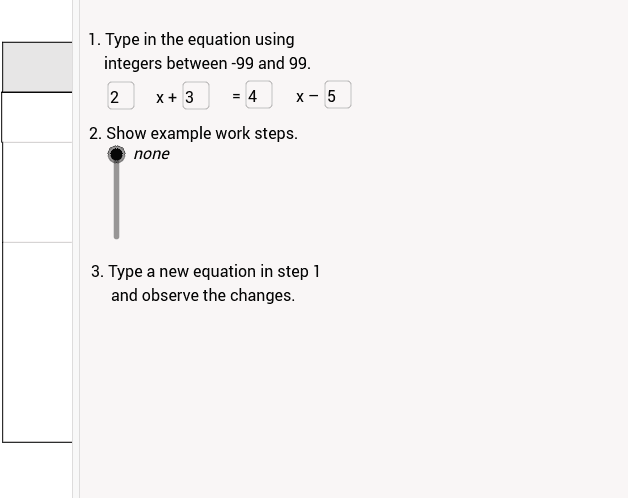
This GeoGebra example provides an interactive way to solve a linear equation. Users can input coefficients and constants, and the tool visualizes the equation using vectors and piecewise/tangent functions for graphical verification. Core concepts include linear equations, vector operations, and function graphing. The construction uses GeoGebra commands such as Polygon, Textfield, Segment, and If, making it suitable for high school mathematics instruction and self‑learning.
GeoGebra Commands & Parameters
Polygon((0, -1), (4.22, -1), (4.22, 3), (0, 3)) → row4Step3, i, j, k, lPolygon((-0.02, 5), (11.98, 5), (11.98, 6), (-0.02, 6)) → row2Step1, e, f, g, hTextfield(coefL) → inputCoefLTextfield(constL) → inputConstLPolygon((0, 3), (4.22, 3), (4.22, 5), (0, 5)) → row3step2, m, n, p, qTextfield(constR) → inputConstRTextfield(coefR) → inputCoefRPolygon((0, 6), (12, 6), (12, 7), (0, 7)) → row1Header, a, b, c, dPolygon((4.22, -1), (12, -1), (12, 5), (4.22, 5)) → row2Check, r, s, t, a_1Segment((4.22, 4.98), (4.22, 6.98)) → segmentDividerSegment((x(Corner[solve2a_1, 1]), 4.1), (x(Corner[solve1_2, 2]), 4.1)) → step1segmentSegment((x(Corner[solve2a_1, 1]), 2.1), (x(Corner[solve1_2, 2]), 2.1)) → step2segmentIf(coefL - coefR ≟ 0 ∧ (constL ≠ -constR) ∨ solution ≟ Infinity, true, false) → notValid
AI Drawing Prompt Reference
Please draw an interactive tool for solving linear equations. The tool includes multiple rectangular regions, each containing input fields for users to enter coefficients and constants. These rectangular regions are separated by line segments and can be dynamically adjusted based on user inputs. The tool also includes conditional logic to verify the validity of the equation. Construct in the following order: first draw the rectangular regions, then add input fields within each region, and finally add dividing line segments and conditional logic.
The prompt above was compiled from the original drawing commands and is for reference only.