
Interactive GeoGebra Sphere Construction
Loading the math board and drawing, please wait…
In collections
The GeoGebra's Toolbox for Teachers and Students
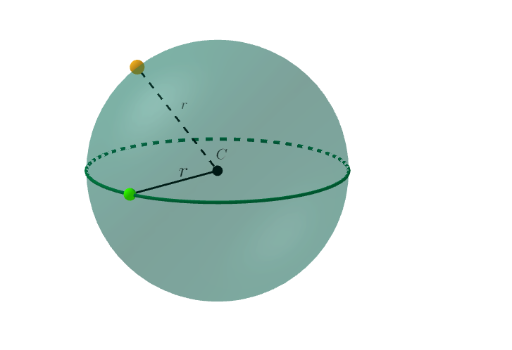
This GeoGebra example demonstrates how to construct and manipulate a sphere (3D ball) interactively, illustrating how the resulting sphere is determined by key spatial parameters. It supports understanding of solid geometry fundamentals: the sphere object itself, the role of a center point and a radius, and how geometric relationships in 3D can be built from simpler primitives. Construction-wise, it uses GeoGebra commands PointIn, Circle, Segment, and Sphere, combining intermediate objects (including C, A, c, r, a, P, f) to create the final sphere from a point/constraint-driven setup. Suitable for middle/high school and early university learners, it works well for teaching 3D solid geometry concepts and for interactive visualization/modeling practice.
GeoGebra Commands & Parameters
PointIn(z = 0) → ACircle(C, A, xOyPlane) → cSegment(C, A) → rSphere(C, r) → aPointIn(a) → PSegment(P, C) → f
AI Drawing Prompt Reference
Draw a 3D sphere, showing how it is determined by a center point and radius. Start by placing a point on the xy-plane, then draw a circle centered at this point. Connect the point to a point on the circle to form a line segment, representing the radius. Next, create a sphere using the center point and the line segment as the radius. Finally, place an arbitrary point on the sphere's surface and draw a line connecting this point to the center to illustrate the basic construction relationships.
The prompt above was compiled from the original drawing commands and is for reference only.