
Interactive Exploration of Straight Line Equations
Loading the math board and drawing, please wait…
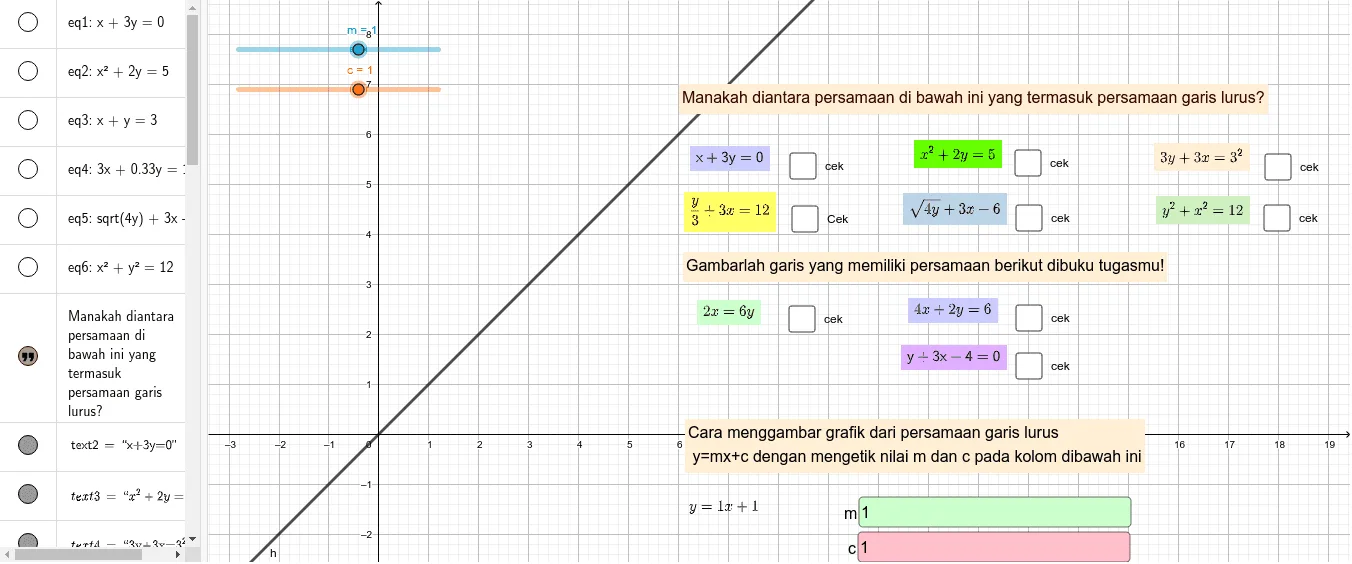
This GeoGebra example demonstrates an interactive construction for exploring straight line equations (Persamaan Garis Lurus). The core mathematical concepts include linear functions, standard forms of linear equations (e.g., y = mx + c), intercepts with coordinate axes, and relationships between lines such as parallelism, intersection, and perpendicularity. The construction uses Textfield and InputBox objects to allow user input, multiple equation objects (eq1 to eq10) to define lines, sliders (a, b, c, d, e, f, g, h, i, j, m) to dynamically adjust parameters, and text objects (text1 to text13) to display equations and values in real time. Points, line segments, and intersection objects (c, h, c1) are used to visualize geometric relations. This resource is suitable for middle and high school students learning coordinate geometry and linear functions, helping them intuitively understand how parameter changes affect line graphs and enabling interactive exploration of different line equation properties.
GeoGebra Commands & Parameters
Textfield(m) → InputBox1Textfield(c) → InputBox2
AI Drawing Prompt Reference
Create an interactive graph to explore straight line equations. Include input boxes for users to enter slope and intercept, sliders to dynamically adjust parameters, and display equations and values in real time. Draw multiple lines, visualize geometric relationships like intersections, parallelism, and perpendicularity with points and line segments. Show intercepts with axes to help understand how parameter changes affect line graphs.
The prompt above was compiled from the original drawing commands and is for reference only.