
Interactive Exploration of Parametric Curves in Space
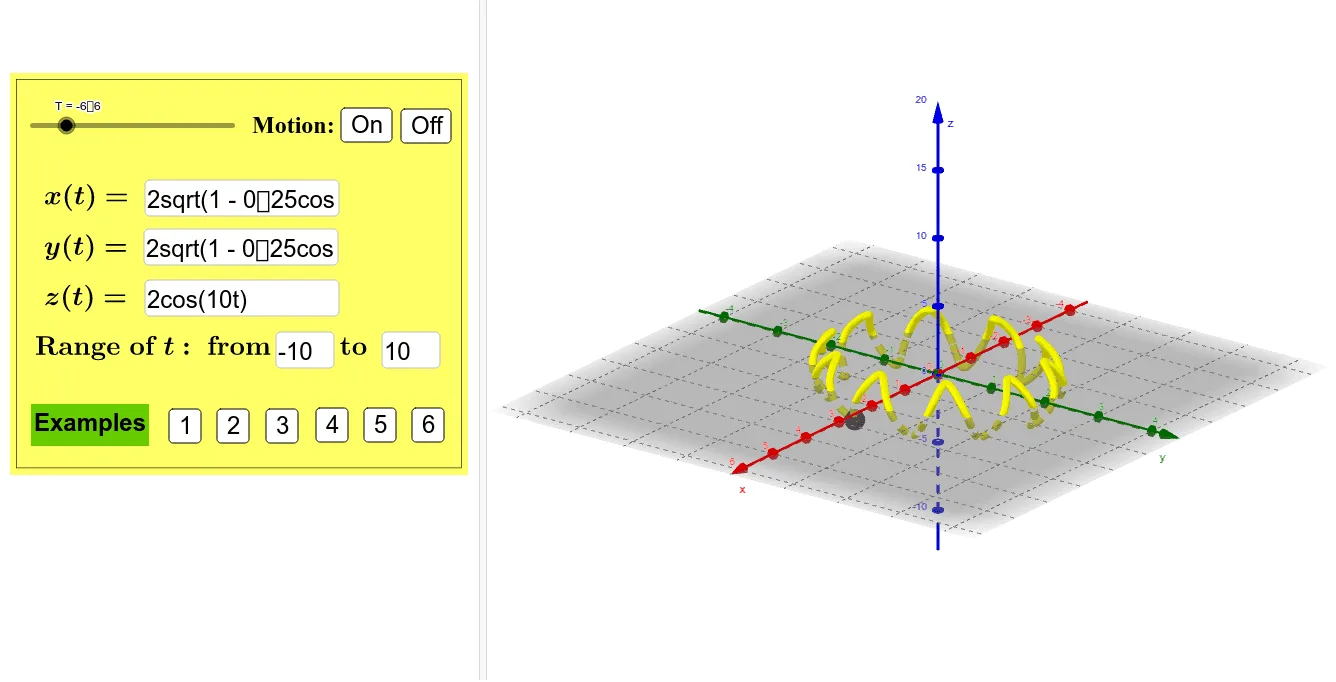
Loading the math board and drawing, please wait…
This example demonstrates the dynamic construction and interactive control of parametric curves in three-dimensional space. The core mathematical concept is parametric equations, where users input expressions for x, y, and z as functions of parameter t via three input boxes, and adjust the minimum and maximum values of t using sliders or input boxes to generate and observe the spatial curve in real time. The construction uses GeoGebra commands such as CurveCartesian to create the curve, Surface for auxiliary surfaces, and Textfield/InputBox components for parameter input and dynamic updates. Additionally, buttons control animation playback (MotionStatus) and multiple text labels provide guidance. It is suitable for high school or university students learning analytic geometry, calculus, or computer-assisted mathematical graphing, helping them understand how parametric curves change in 3D space and the effect of parameter ranges.
GeoGebra Commands & Parameters
Surface((cos(t), sin(t), s), t, 0, (2 * π), s, -10, 10) → bTextfield(f) → InputBox1Textfield(g) → InputBox2Textfield(h) → InputBox3Textfield(tMin) → InputBox4Textfield(tMax) → InputBox5CurveCartesian(f(t), g(t), h(t), t, tMin, tMax) → a