
Interactive Circle Equation Intro: Constructing a Circle via Input Boxes and Poi
Loading the math board and drawing, please wait…
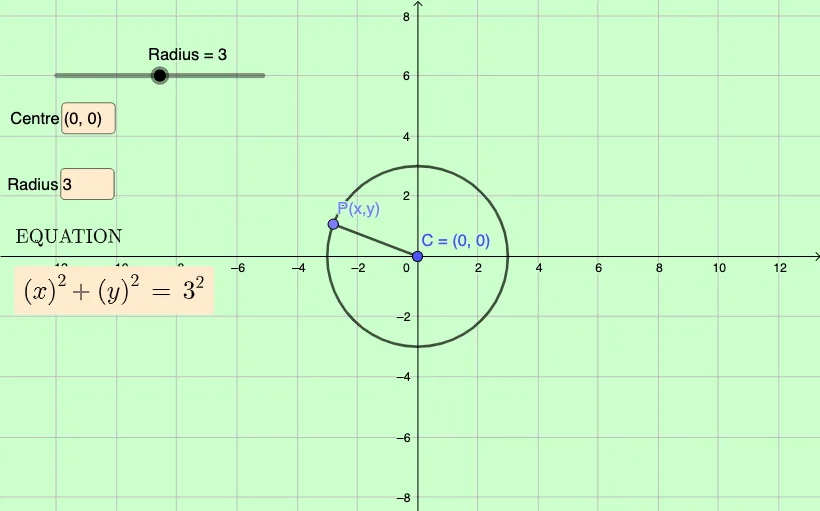
① This example demonstrates how to dynamically construct a circle using user-specified center coordinates and radius, with its standard equation displayed in real time. ② The core mathematical concept is the analytic geometry definition of a circle: the set of points at a fixed distance (radius) from a fixed point (center), expressed by the standard equation (x-h)²+(y-k)²=r². ③ Construction details: from the summary, it uses Textfield for entering h, k, and r, Point to create the center C, Segment to draw the radius, InputBox to bind user inputs, and the equation object eq1 to generate the circle's equation text, with auxiliary objects A and f for display. ④ Suitable for middle school advanced or high school introductory analytic geometry, and for GeoGebra classroom demonstrations to help students intuitively grasp how parameter changes affect the circle's position and size.
GeoGebra Commands & Parameters
Textfield(C) → InputBox1Textfield(Radius) → InputBox2Point(eq1) → ASegment(C, A) → f
AI Drawing Prompt Reference
Create a circle with its center defined by user inputs and a specified radius. First, input the x and y coordinates of the center, then input the radius. Based on these, draw the center point and a segment representing the radius. Finally, display the circle's standard equation using the inputs. Start by creating input boxes for the center coordinates, then create the center point, draw a segment from the center to a point on the circumference to represent the radius, and lastly generate and show the circle's standard equation.
The prompt above was compiled from the original drawing commands and is for reference only.