
Integer Addition on a Number Line
Loading the math board and drawing, please wait…
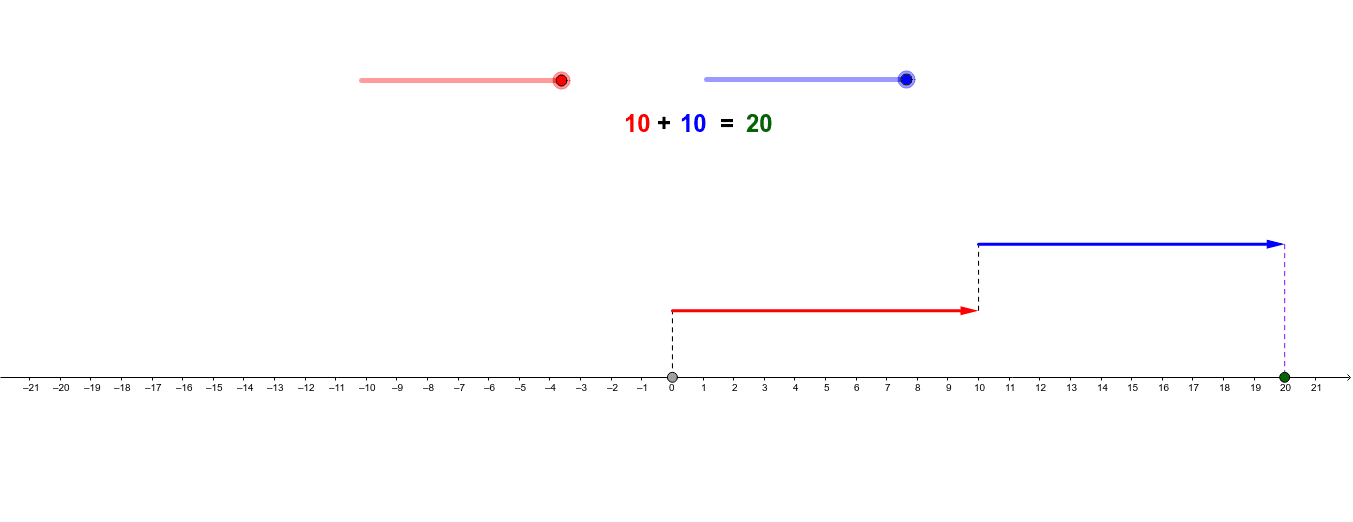
This example dynamically demonstrates the process of adding integers on a number line. It involves core math concepts like integers, number line, and addition operations. The construction uses GeoGebra commands such as Vector and Segment to build the number line and dynamic points, visualizing the addition process. Suitable for middle school mathematics teaching to help students intuitively understand integer addition rules.
GeoGebra Commands & Parameters
Vector(A, B) → uVector(C, D) → vSegment(Z, A) → gSegment(B, C) → hSegment(D, R) → i
AI Drawing Prompt Reference
Draw a number line with a segment to the right representing positive numbers and another to the left for negative numbers. Choose two points A and B on the number line to represent two integers. Then, draw a segment g from the origin to point A, and a segment h from point B to point C. Finally, draw a segment i from point D to the right, representing the second integer. These segments will dynamically illustrate the process of adding two integers.
The prompt above was compiled from the original drawing commands and is for reference only.