
Integer Addition Interactive Demo: Vectors and Input Boxes
Loading the math board and drawing, please wait…
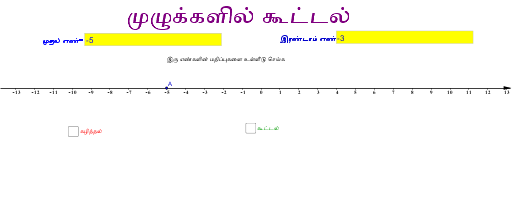
① This GeoGebra example demonstrates integer addition through an interactive visual, using vectors and input boxes to dynamically show the sum of two integers. ② The core mathematical concept is integer addition, involving natural numbers and integers, represented geometrically via vectors to bridge arithmetic and visual understanding. ③ Construction highlights: from the summary, Vector commands create vectors (u, v), Textfield and InputBox1/InputBox2 provide user input, objects include a, b, A, B, C, c, d, with text1-text4 displaying values and results, forming an interactive addition environment. ④ Suitable for upper elementary to middle school students learning integer rules, and for teachers demonstrating addition concepts in class, enhancing number sense and operational intuition.
GeoGebra Commands & Parameters
Vector(A, B) → uVector(A, C) → vTextfield(a) → InputBox1Textfield(b) → InputBox2
AI Drawing Prompt Reference
Create an interactive diagram for integer addition. Draw a horizontal number line with two draggable points representing the two addends. From the origin, draw two arrows in different colors as vectors, with lengths proportional to the integer values. Then draw a third arrow from the tip of the first vector to the tip of the second vector, representing the sum. Place two input boxes beside the diagram for users to enter integers, which update the vector lengths and the sum. Use text labels to display the two addends and their sum, making the addition process visually clear.
The prompt above was compiled from the original drawing commands and is for reference only.