
Integer Addition Demonstration by John Christie
Loading the math board and drawing, please wait…
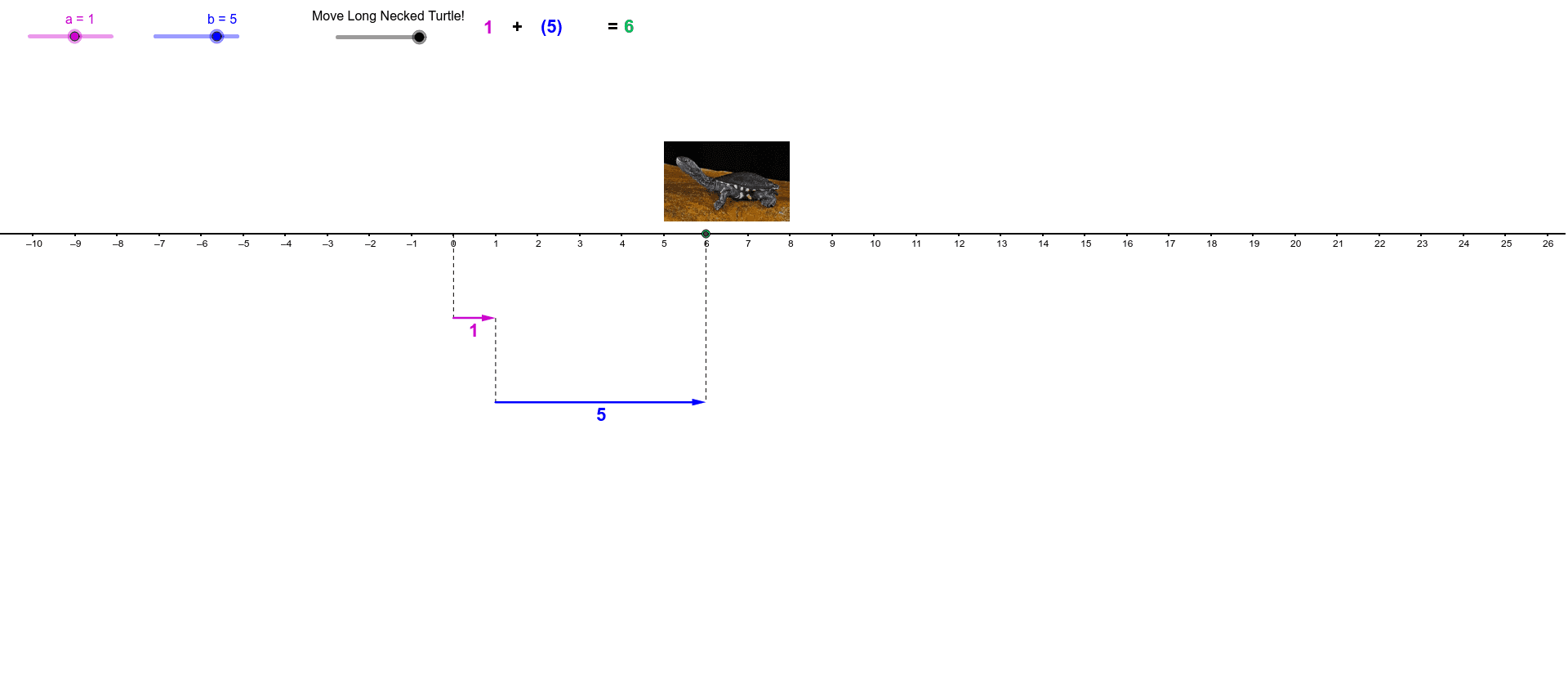
This example visually demonstrates the geometric interpretation of integer addition using dynamic graphics, intuitively showing the result of addition operations; it involves core mathematical concepts such as integers, number line, vectors, and coordinate geometry; construction highlights the use of GeoGebra commands and objects like Max, Vector, Segment, If, with objects like f, b, hopb, hopbb, a, hopa, hopaa; suitable for middle school and above learners to understand abstract integer operations.
GeoGebra Commands & Parameters
Max(hopb, (-hopb)) → hopbbMax(hopa, (-hopa)) → hopaaVector((0, -2), (a, -2)) → uVector((a, -4.000000000000001), (a + b, -4.000000000000001)) → vSegment(A, (a + b, -4.000000000000001)) → cSegment((a, -2), (a, -4.000000000000001)) → dIf(f < 1, ((f * a), hopaa), If[f < 1.4, (a, 0), (a, hopbb) + ((f - 1.4) * (b, 0))]) → DSegment((0, 0), (0, -2)) → e
AI Drawing Prompt Reference
Draw a coordinate plane with a horizontal number line starting at the origin. From the origin, drop a vertical segment down to y = -2. Above the line, show two horizontal vectors: one from (0,-2) to (a,-2), and another from (a,-4) to (a+b,-4). Connect (a,-2) to (a,-4) with a vertical segment, and draw a slanted segment from the origin to (a+b,-4). On the number line, place a dynamic point D that moves according to a parameter f: for f < 1, it slides from the origin to (a,0); for 1 ≤ f < 1.4, it stays at (a,0); for f ≥ 1.4, it moves rightward along the vector (b,0). The whole figure illustrates integer addition geometrically, using vectors, segments, and a moving point.
The prompt above was compiled from the original drawing commands and is for reference only.