
Measuring Angles with a Protractor by John Christie
Loading the math board and drawing, please wait…
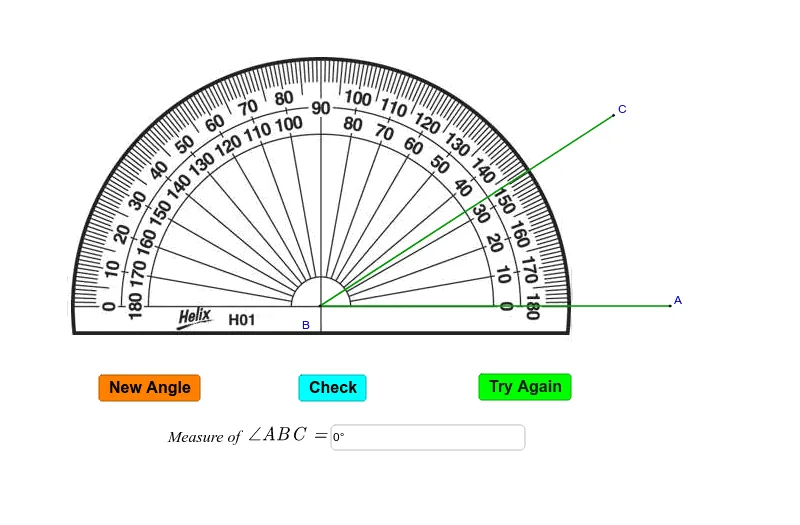
This example demonstrates how to measure the size of an angle using a protractor. Key mathematical concepts include angle measurement. Using GeoGebra commands such as Random, Intersect, Point, Rotate, Angle, etc., the process of constructing angle measurement is illustrated. Suitable for middle school and above students to learn geometric construction.
GeoGebra Commands & Parameters
Random(10, 170) → nIntersect(xAxis, yAxis) → BPoint(xAxis) → ARotate(A, n°, B) → CAngle(A, B, C) → βSegment(A, B) → aSegment(B, C) → bTextfield(γ) → inputBox1Corner(5) → DLaTeX(D, true, true) → text4LaTeX(D, true, true) → text5
AI Drawing Prompt Reference
Create an angle measurement diagram by first selecting a random angle n (range 10 to 170 degrees) on the x-axis, then drawing two perpendicular line segments OA and OB from the origin O. Rotate point A counterclockwise by n degrees around point B to get point C. Draw line segments connecting points A and B, and points B and C. Below the diagram, add a text box to display the angle β.
The prompt above was compiled from the original drawing commands and is for reference only.