
Inscribed Regular Polygons by FranklinCurtisMasonJunior
Loading the math board and drawing, please wait…
In collections
Unit 9 - Circles
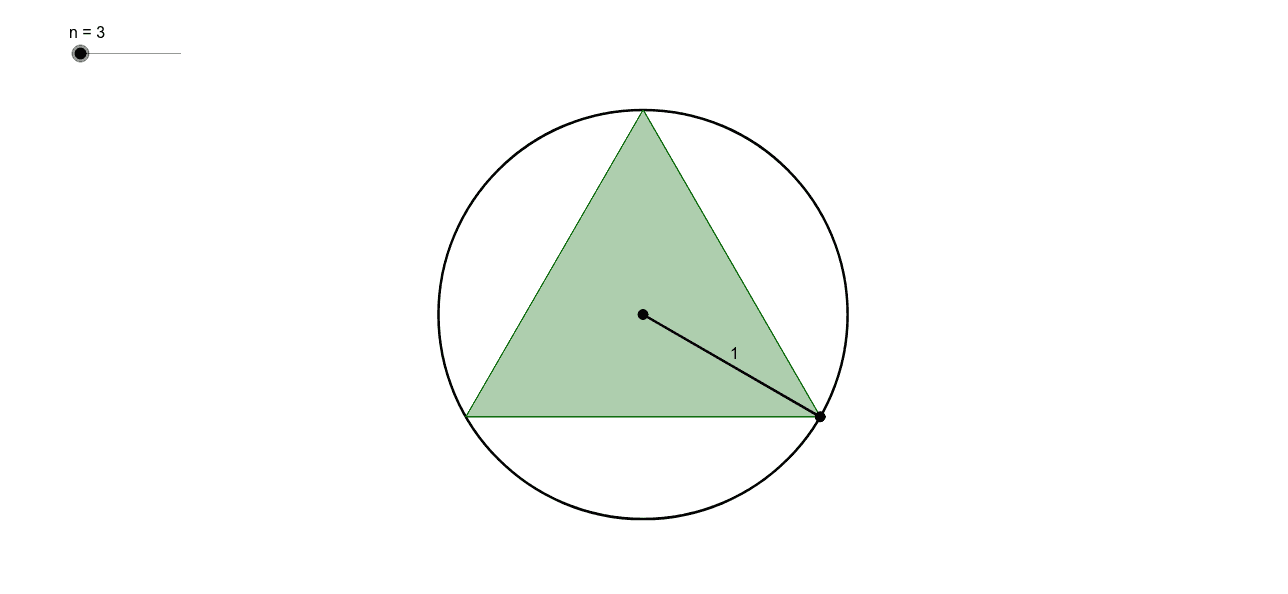
This example demonstrates a sequence of regular polygons inscribed in the unit circle. It involves the geometric properties of regular polygons and circles. Using commands such as Circle, Intersect, Polygon, and Segment, a series of inscribed regular polygons can be constructed. Suitable for middle school and above students to learn geometric construction and properties of circles.
GeoGebra Commands & Parameters
Circle(A, B) → cIntersect(c, Circle[B, 2 * sin(π / n)]) → C_1, C_2, ,Polygon(B, C_1, n) → poly1, a, k, l, m, p, q, r, s, t, a_1, b_1, b, c_1, d_1, e_1, g_1, C, D, E, F, G, H, d, I, J, K, L, M, N, O, P, Q, R, e, S, T, U, V, W, f, g, h, i, jSegment(C_2, A) → f_1
AI Drawing Prompt Reference
Draw a unit circle with a center point. Mark a point on the circle as the first vertex of a regular polygon. Construct a sequence of regular polygons inscribed in the circle, each with an increasing number of sides, all vertices lying on the circumference. Start by drawing a radius from the center to the initial vertex. For each polygon, use the intersection of the circle with an auxiliary circle to determine the remaining vertices, then connect them in order to form the closed polygon. Finally, draw a segment from one of the intersection points back to the center to illustrate the relationship between the polygon and the circle. The final image shows multiple nested regular polygons inside the circle, with side counts increasing from triangle upward.
The prompt above was compiled from the original drawing commands and is for reference only.