
Cube Sections
Loading the math board and drawing, please wait…
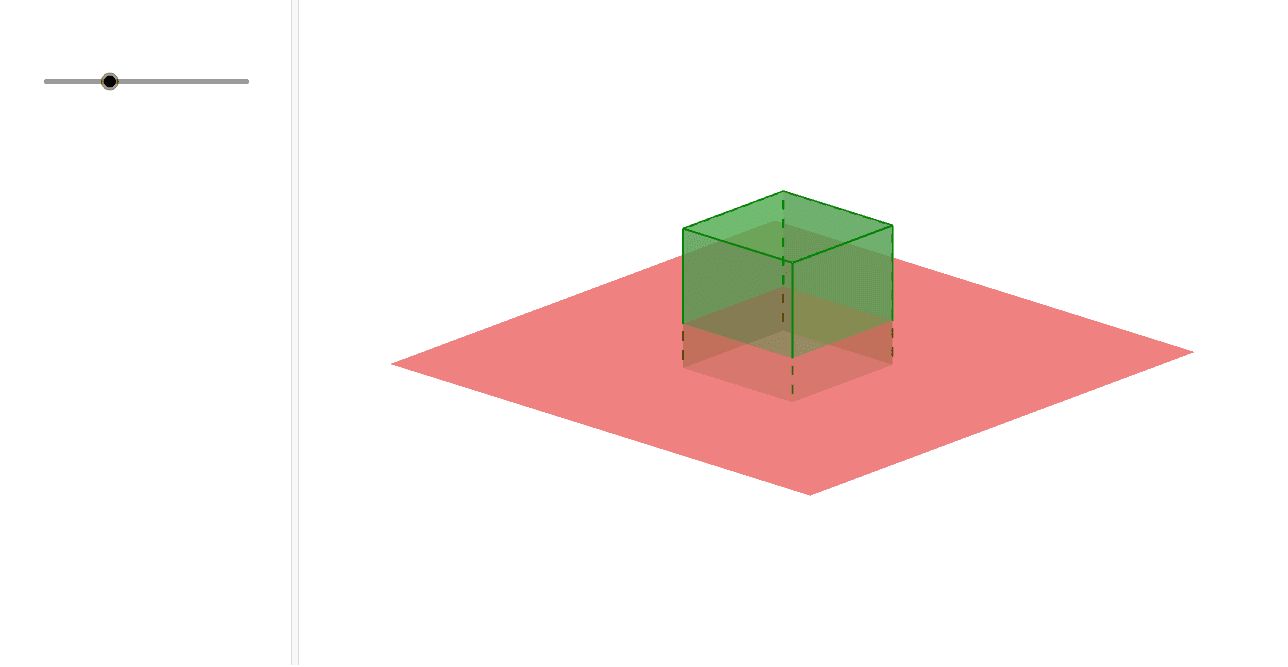
This example demonstrates that sections of a cube parallel to a face are congruent squares. It involves core math concepts like solid geometry, congruent figures, and properties of squares. Constructed using GeoGebra commands/objects such as Point, Intersect, Cube, Plane, and IntersectPath. Suitable for high school students learning solid geometry or for educational demonstrations.
GeoGebra Commands & Parameters
Point(xAxis) → AIntersect(yAxis, zAxis) → BPoint(Circle[B, Distance[A, B], Segment[A, B]]) → CCube(A, B, C) → a, D, faceCDHG, faceEFGH, edgeAD, edgeAB, edgeBC, edgeCD, edgeAE, edgeDH, edgeEH, edgeEF, E, edgeBF, edgeFG, edgeCG, edgeGH, F, G, H, faceABCD, faceADHE, faceABFE, faceBCGFPlane(K, I, J) → cIntersectPath(c, a) → poly1, L, M, N, O, d, e, f, g
AI Drawing Prompt Reference
Draw a cube and show that a section parallel to one of its faces is a square. Start by plotting three points on the coordinate axes, then use these points to construct a cube. Next, create a plane parallel to one face of the cube, and finally find the intersection of this plane with the cube to display the square section. Label the key points and intersection lines.
The prompt above was compiled from the original drawing commands and is for reference only.