
Inscribed Polygon by Shayla Arvizu
Loading the math board and drawing, please wait…
In collections
Archimedes Area of Circle:
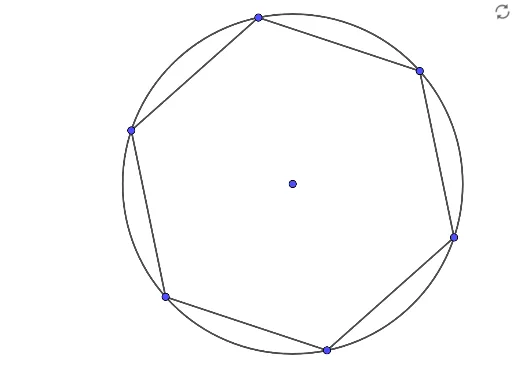
This example demonstrates the construction of an inscribed polygon. Key mathematical concepts include polygons, circles, and rotation. Using GeoGebra commands such as Polygon, Circle, and Rotate, the process of a polygon being inscribed in a circle is dynamically illustrated. Suitable for students at the middle school level and above for geometric construction.
GeoGebra Commands & Parameters
Polygon(A, B, 6) → poly1, f, F, g, h, i, j, k, C, D, ECircle(M, N) → cRotate(N, 60°, M) → N'Rotate(N', 60°, M) → N''Rotate(N'', 60°, M) → N'''Rotate(N''', 60°, M) → HRotate(H, 60°, M) → H'Segment(H', H) → lSegment(H, N''') → mSegment(N''', N'') → nSegment(N'', N') → pSegment(N', N) → qSegment(N, H') → r
AI Drawing Prompt Reference
Draw a hexagon inscribed in a circle with vertices evenly spaced around the circle. Start by drawing a circle, then mark points at 60-degree intervals from the center, connecting them to form the hexagon. Finally, connect each vertex of the hexagon to the center of the circle to show the inscribed relationship.
The prompt above was compiled from the original drawing commands and is for reference only.