
Inscribed Ellipses
Loading the math board and drawing, please wait…
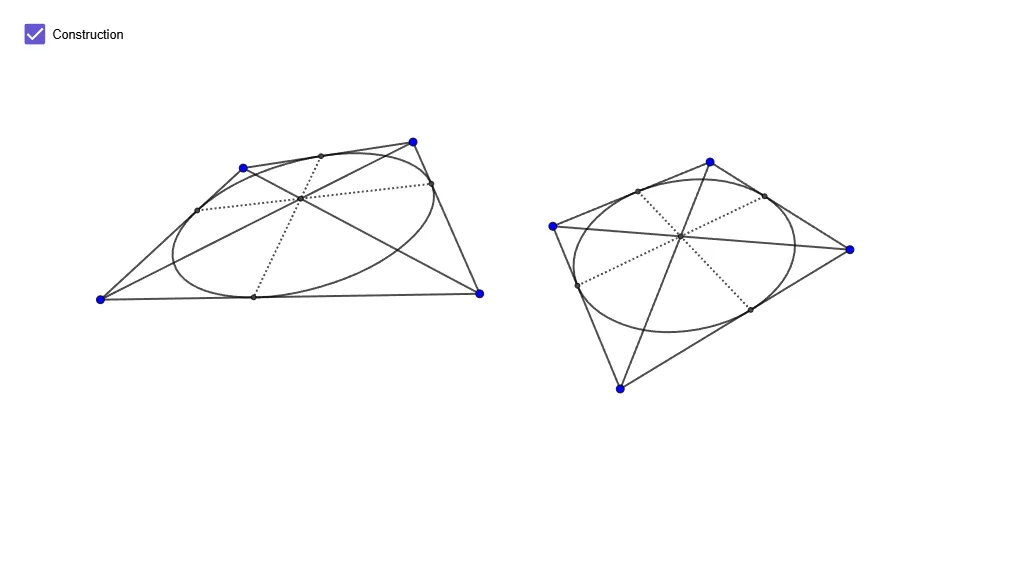
This example demonstrates how to construct an ellipse inscribed in a polygon using geometric construction methods. Key mathematical concepts include the equation of an ellipse in coordinate geometry and properties of polygons. It utilizes commands such as Line, Polygon, InscribeEllipse, Intersect, Segment, and Ray in GeoGebra. Suitable for high school mathematics education and students learning coordinate geometry.
GeoGebra Commands & Parameters
Line(C, D) → fPolygon(E, F, G, H) → q1, e, f_1, g, hPolygon(I, J, K, L) → q2, i, j, k, lInscribeEllipse(E, F, G, H) → cInscribeEllipse(I, J, K, L) → dLine(F, G) → mLine(E, H) → nLine(H, G) → pLine(E, F) → qLine(J, I) → rLine(K, L) → sLine(L, I) → tLine(K, J) → aIntersect(p, q) → MSegment(G, E) → bSegment(F, H) → g_1Intersect(b, g_1) → NIntersect(m, n) → ORay(O, N) → i_1Intersect(s, r) → PSegment(I, K) → j_1Segment(J, L) → k_1Intersect(j_1, k_1) → QLine(P, Q) → l_1Line(M, N) → h_1Intersect(a, t) → RLine(R, Q) → m_1Intersect(m_1, s) → SIntersect(r, m_1) → TIntersect(t, l_1) → UIntersect(a, l_1) → VIntersect(q, e) → WIntersect(i_1, q) → ZIntersect(p, i_1) → A_1Intersect(m, h_1) → B_1Intersect(h_1, n) → C_1Segment(Z, A_1) → n_1Segment(B_1, C_1) → p_1Segment(U, V) → q_1Segment(T, S) → r_1
AI Drawing Prompt Reference
Draw two quadrilaterals, each with an inscribed ellipse inside. Start by outlining the first quadrilateral and placing an ellipse tangent to its sides. Then outline the second quadrilateral and place another inscribed ellipse. Connect corresponding vertices of the two quadrilaterals with straight lines, and mark the intersections of these lines with the quadrilateral sides. Use these intersection points to draw additional segments and rays, creating a network of auxiliary lines that reveal the geometric relationships between the ellipses and polygons.
The prompt above was compiled from the original drawing commands and is for reference only.