
Imaginary Component: z^(1/2)
Loading the math board and drawing, please wait…
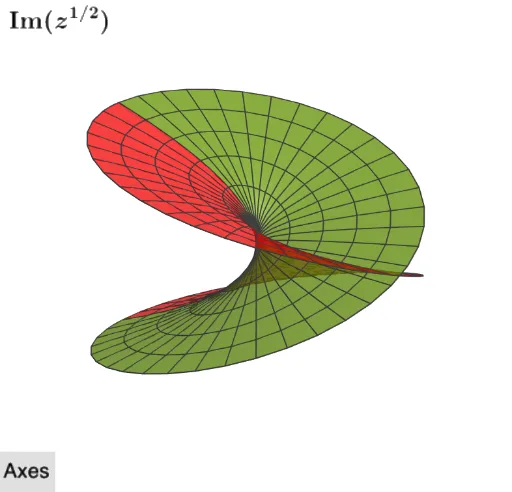
This example demonstrates the imaginary part of z^(1/2) in 3D space. It involves core concepts like complex numbers, root extraction, imaginary part isolation, and 3D surface plotting. GeoGebra commands and objects such as SelectedIndex, Plane, Surface, button1, t, Im1, Im2, c, text1, a, b, ListBranches, index, d, planeC, text2, RSIm, RSImN are used in construction. Suitable for high school and above students to understand the connection between complex operations and spatial geometry, enhancing visualization skills.
GeoGebra Commands & Parameters
SelectedIndex(ListBranches) → indexPlane(xAxis, yAxis) → planeCSurface((u * cos(v)), (u * sin(v)), Im1((u * cos(v)), (u * sin(v))), u, 0, 2, v, (-π), π - π / 1000) → RSImSurface((u * cos(v)), (u * sin(v)), Im2((u * cos(v)), (u * sin(v))), u, 0, 2, v, (-π), π - π / 1000) → RSImN
AI Drawing Prompt Reference
Plot the imaginary part of z^(1/2) in 3D space. First, create a plane, then use surface functions to draw two surfaces representing the imaginary part as Im1 and Im2. The construction order starts with creating the plane and then drawing the two surfaces.
The prompt above was compiled from the original drawing commands and is for reference only.