
Image Translation by Vector
Loading the math board and drawing, please wait…
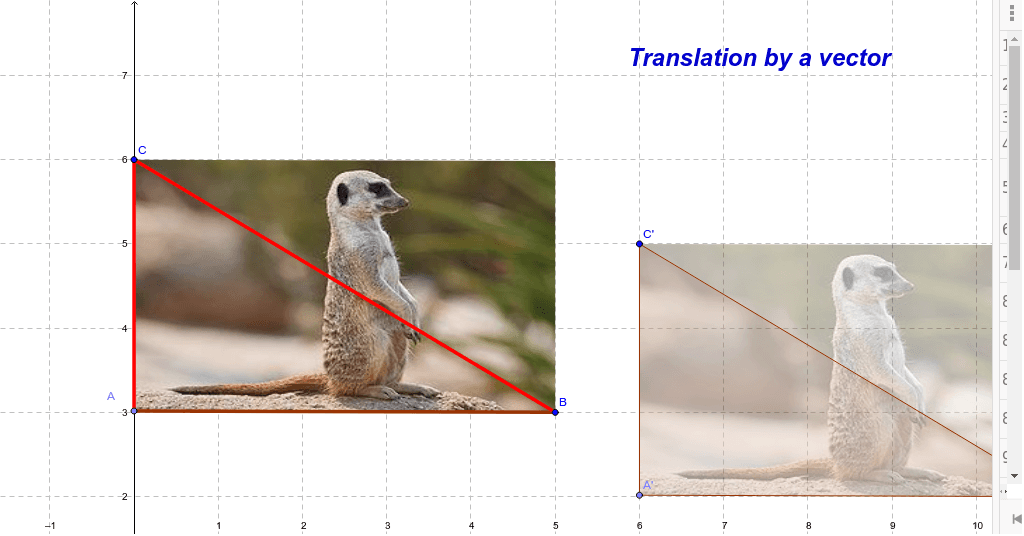
This example demonstrates the translation of an image (a meerkat) by a vector. It involves core mathematical concepts such as vectors, translation transformations, and geometric constructions. Key GeoGebra commands and objects used include Point, Intersect, Vector, Polygon, and Translate. Suitable for high school mathematics students to learn and understand the relationship between vectors and geometric transformations, applicable for classroom teaching or homework practice.
GeoGebra Commands & Parameters
Point(yAxis) → AIntersect(xAxis, yAxis) → OVector(O, P) → uPolygon(A, B, C) → poly1, c, a, bTranslate(A, u) → A'Translate(B, u) → B'Translate(C, u) → C'Polygon(A', B', C') → poly1', c', a', b'Translate(pic1, u) → pic1'Translate(pic1', Vector[(0, 0)]) → pic1''
AI Drawing Prompt Reference
Draw a demonstration of image translation by a vector, showing the effect of translating a cartoon meerkat. Start by drawing coordinate axes and marking their intersection, then create a vector. Construct a polygon using three points and translate it using the vector to get a new polygon. Finally, translate the entire meerkat image according to the vector, and then translate it back to the origin to illustrate the relationship between vectors and geometric transformations.
The prompt above was compiled from the original drawing commands and is for reference only.