
Hyperbolic Tools - Poincaré Disc
Loading the math board and drawing, please wait…
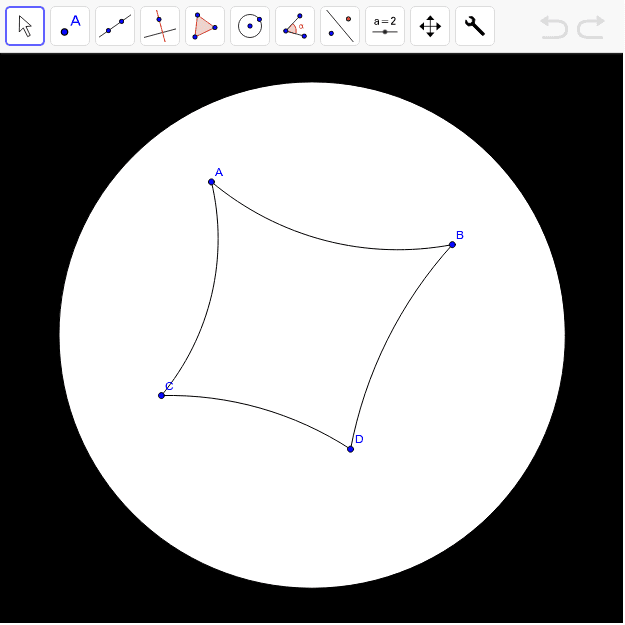
This example demonstrates how to construct hyperbolic tools in the Poincaré disc model. It involves basic concepts of hyperbolic geometry, such as constructing hyperbolic segments. Using the Circle and HypSegment commands, hyperbolic circles and segments can be created. Suitable for high school students and educators for teaching and researching hyperbolic geometry.
GeoGebra Commands & Parameters
Circle((0, 0), 1) → unitHypSegment(B, A) → c, dHypSegment(A, C) → e, fHypSegment(C, D) → g, hHypSegment(D, B) → k, p
AI Drawing Prompt Reference
Draw a unit circle as the base for the Poincaré disc model, and then construct four hyperbolic segments connecting points A, B, C, and D inside the circle, forming a quadrilateral in hyperbolic geometry. First, draw a circle centered at the origin with radius 1, and then sequentially connect points A to B, A to C, C to D, and D to B to form the hyperbolic segments.
The prompt above was compiled from the original drawing commands and is for reference only.