
Hyperbola M241 Worksheet: Geometric Construction and Locus Demonstration
Loading the math board and drawing, please wait…
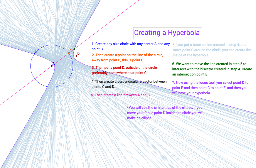
This example demonstrates the geometric definition and locus generation process of a hyperbola. It involves core concepts such as hyperbola, circle, angle bisector, intersection points, and locus in analytic geometry. The construction utilizes GeoGebra commands including Circle, Point, LineBisector, Intersect, and Locus to build a dynamic graph showing point set variations. Suitable for high school or university analytic geometry courses to aid understanding of hyperbola formation mechanisms and geometric properties, helping students intuitively master conic section definitions.
GeoGebra Commands & Parameters
Circle(A, B) → cPoint(c) → CLineBisector(D, C) → aLine(C, A) → bIntersect(a, b) → ELocus(E, C) → loc1
AI Drawing Prompt Reference
Draw a hyperbola by first creating a circle, then selecting a point on the circle as a point on the hyperbola. Construct the angle bisector of the point with respect to the circle's center, and draw a line through the point and the circle's center. The intersection of these two lines is another point on the hyperbola. Finally, use these intersection points to generate the hyperbola.
The prompt above was compiled from the original drawing commands and is for reference only.