
Hyperbola Lab: Construction via Pythagorean Theorem and Vector Rotation
Loading the math board and drawing, please wait…
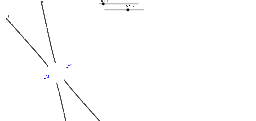
① This example demonstrates how to construct a hyperbola using circles and intersection points, while revealing its geometric essence through vector rotation and the Pythagorean theorem. ② Core mathematical concepts include the definition of a hyperbola (constant difference of distances to two foci), the Pythagorean theorem in distance calculations, 2D vector rotation, and fractal geometry iteration. ③ Construction highlights: using GeoGebra's Circle command to draw auxiliary circles, the Intersect command to obtain points A1, A2, K, A, B, C, D, E, F, constructing lines c, d, e, f from these points, and applying vector rotation to generate dynamic loci that form the hyperbola. ④ Suitable for high school or early college students to explore conic section geometry, vector transformations, and fractal patterns, and as a resource for math lab activities or advanced GeoGebra practice.
GeoGebra Commands & Parameters
Circle(A1, A) → cCircle(A2, A - K) → dIntersect(d, c) → B, C, ,Circle(A1, A - K) → eCircle(A2, A) → fIntersect(f, e) → D, E, ,Intersect(f, e, 1) → F
AI Drawing Prompt Reference
Draw a hyperbola by first creating two circles c and d with centers A1 and A2, A - K respectively. Find intersection points B and C of circle d and c. Then create circles e and f with centers A2, A - K and A1, A respectively. Find intersection points D and E of circles e and f. Use vector rotation to generate the dynamic locus of the hyperbola through points F.
The prompt above was compiled from the original drawing commands and is for reference only.