
Hyperbola by Common Focal Distance
Loading the math board and drawing, please wait…
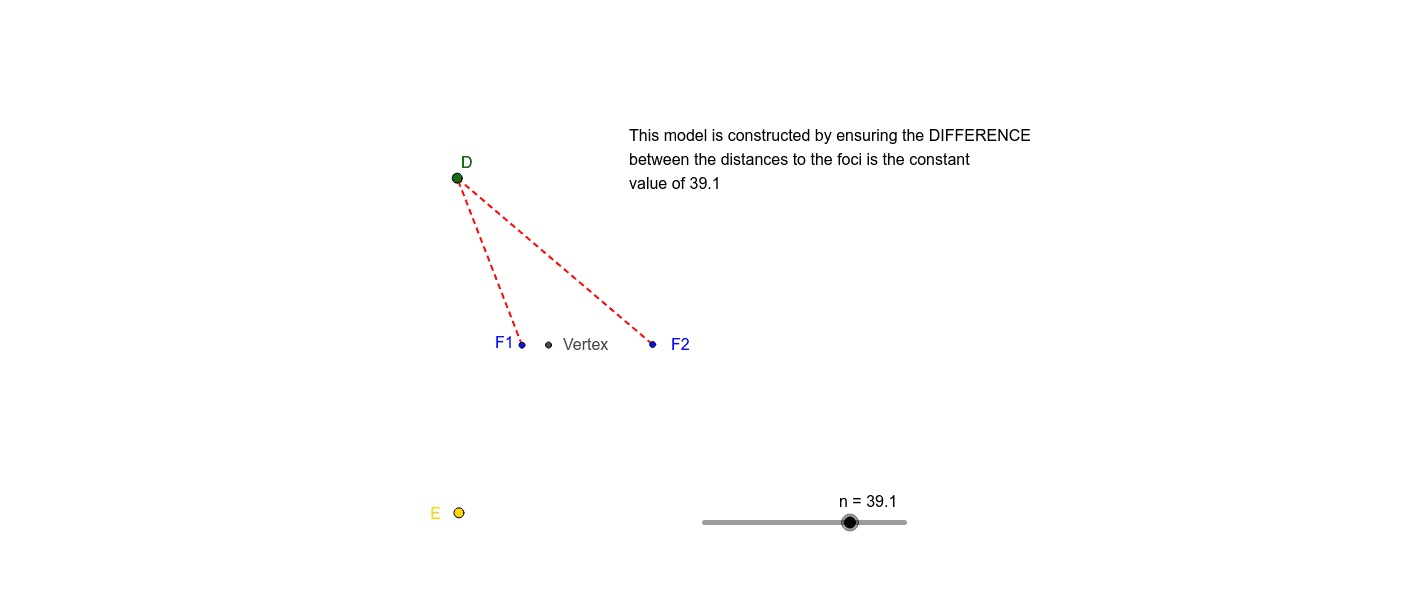
This example demonstrates the construction of a hyperbola using the common focal distance. It involves core mathematical concepts such as the definition of a hyperbola, foci, directrices, eccentricity, and symmetry. The construction utilizes GeoGebra commands like Circle, Line, Point, Intersect, and Segment, with objects including F1, F2, and vertices, to illustrate how the hyperbola emerges from dynamic adjustments. Suitable for high school coordinate geometry teaching or exploration by math enthusiasts.
GeoGebra Commands & Parameters
Circle(F2, (n + Segment[F1, F2]) / 2) → pLine(F1, F2) → aPoint(a) → GIntersect(p, a, 1) → VertexSegment(Vertex, G) → iPoint(i) → CCircle(F1, C) → cSegment(F1, C) → bCircle(F2, n + b) → dIntersect(c, d, 1) → DSegment(F1, D) → eSegment(D, F2) → fIntersect(c, d, 2) → ECircle(F1, f - n) → gCircle(F1, f - n) → hCircle(C, 0.5482549935540113) → k
AI Drawing Prompt Reference
Draw a hyperbola using two foci F1 and F2. First, draw a circle centered at F2, then draw a line through F1 and F2, and take a point G on the line. Use the intersection of the circle and the line to get one vertex of the hyperbola. Draw a segment from the vertex to G, then draw a circle centered at F1 with the segment as radius, and draw another segment from F1 to G. Finally, use the intersection of the two circles to get the other vertex of the hyperbola.
The prompt above was compiled from the original drawing commands and is for reference only.