
Fraction Wheels
Loading the math board and drawing, please wait…
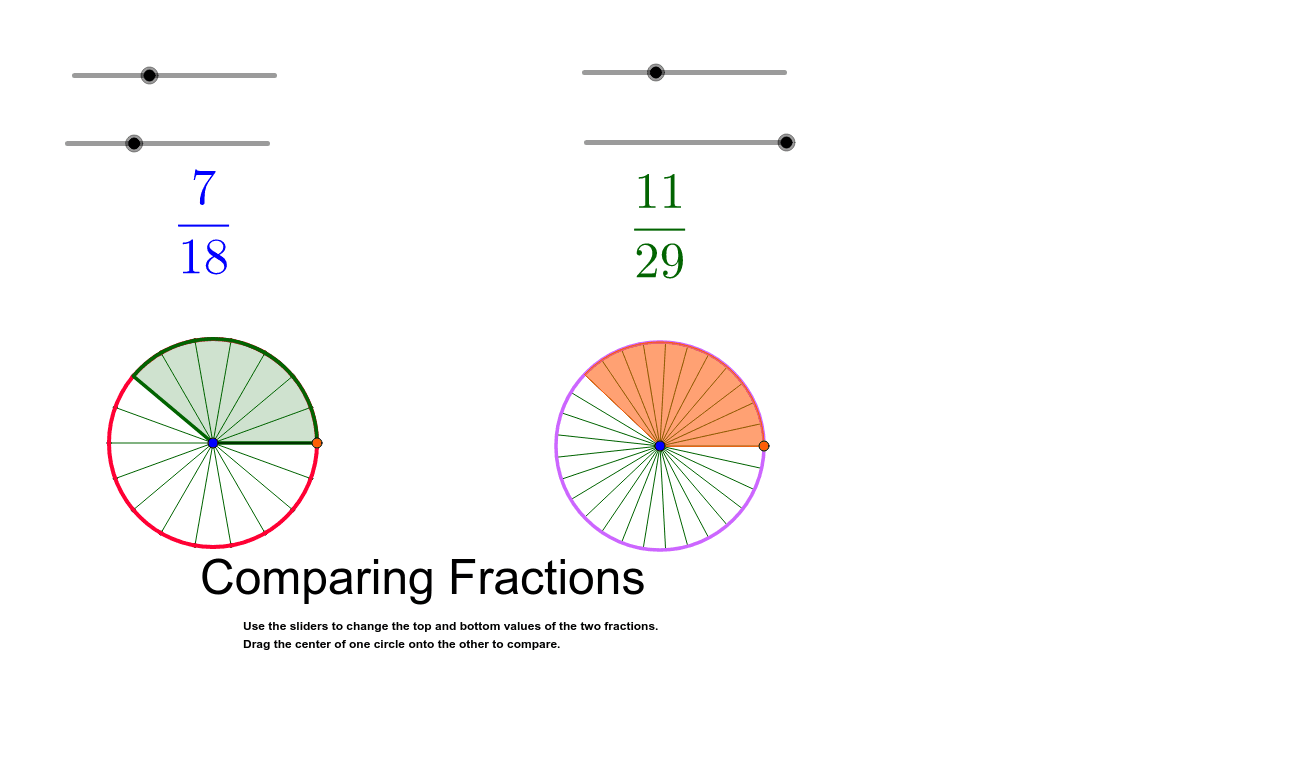
This example demonstrates the construction of fraction wheels. The core mathematical concepts involved are fractions. The construction uses Circle, Point, Sequence, Segment, and Sector commands. Suitable for upper elementary or middle school students to learn about fractions.
GeoGebra Commands & Parameters
Circle(A, circleSize) → dCircle(B, circleSize) → ePoint(d) → CSequence(Rotate[C, ((360°) / parts * k), A], k, 1, parts) → list1Segment(A, C) → fSequence(Segment[A, list1(k)], k, 1, parts) → list2Sector(d, C, list1(pieces)) → gPoint(e) → DSequence(Rotate[D, ((360°) / parts2 * k), B], k, 1, parts2) → list3Sector(e, D, list3(pieces2)) → hSequence(Segment[B, list3(i)], i, 1, parts2) → list4
AI Drawing Prompt Reference
Draw a circle and divide it into several sectors, each representing a fraction. Then draw another circle and divide it into the same number of sectors. Both circles should be rotated around their respective centers to form two rotating fraction wheels.
The prompt above was compiled from the original drawing commands and is for reference only.