
How to Create a Tessellation
Loading the math board and drawing, please wait…
In collections
How to create a Tessellation (Rectangle)
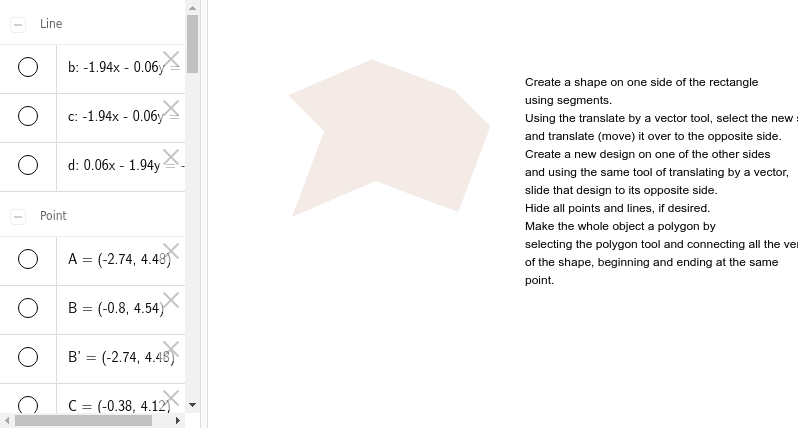
This example demonstrates the process of creating a tessellation using rectangles and transformations. Key math concepts include translation, vectors, polygon construction, and coordinate geometry. GeoGebra commands like Segment, OrthogonalLine, Point, Intersect, Vector, Translate, and Polygon are used to construct and manipulate the shapes. Suitable for high school students learning about geometric transformations and tessellations.
GeoGebra Commands & Parameters
Segment(A, B) → aOrthogonalLine(A, a) → bOrthogonalLine(B, a) → cPoint(c) → DOrthogonalLine(D, b) → dIntersect(b, d) → FSegment(B, C) → eSegment(C, D) → fVector(B, A) → uTranslate(B, u) → B'Translate(C, u) → C'Segment(B', C') → e'Translate(C, u) → C'_1Translate(D, u) → D'Segment(C'_1, D') → f'Segment(F, E) → gSegment(E, D) → hVector(F, A) → vTranslate(F, v) → F'Translate(E, v) → E'Segment(F', E') → g'Translate(E, v) → E'_1Translate(D, v) → D'_1Segment(E'_1, D'_1) → h'Translate(D', v) → D''Polygon(A, E', B, C, D, E, F, C') → poly1, a_1, e'_1, b_1, c_1, d_1, e_1, f_1, c'
AI Drawing Prompt Reference
Create a tessellation using rectangles and transformations. Start by creating points A and B, then construct segment a through A and B. Next, create perpendicular lines b and c through A and B, and point D on c. Construct line d through D and b, and find their intersection point F. Create segments BC and CD, and construct vector BA, then translate B and C to get B' and C', and connect B' and C'. Continue by translating C and D to get C'_1 and D', and connect C'_1 and D'. Connect F and E, E and D, and construct vector FA, then translate F and E to get F' and E', and connect F' and E'. Translate E and D to get E'_1 and D'_1, and connect E'_1 and D'. Finally, connect F', E', B, C, D, E, F, and C' to form a polygon.
The prompt above was compiled from the original drawing commands and is for reference only.