
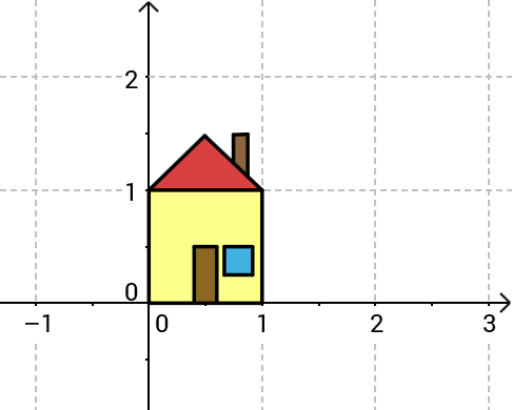
House Picture Drawing Example
Loading the math board and drawing, please wait…
In collections
UNSW MATH1131/1231 Algebra material
This example demonstrates how to draw a house shape using GeoGebra, involving core math concepts like polygon construction, vector operations, and translation transformations. Key GeoGebra commands and objects used include Intersect, Segment, Vector, Translate, Point, and Polygon, suitable for middle school and above students learning geometric constructions and spatial reasoning.
GeoGebra Commands & Parameters
Intersect(xAxis, yAxis) → C_1Segment(C_1, A) → aSegment(C_1, B) → bVector(C_1, A) → uTranslate(B, u) → CVector(B, C) → v'Segment(A, C) → cSegment(B, C) → dVector(C_1, B) → vPoint(w) → DSegment(B, D) → eSegment(C, D) → fSegment(E_1, H) → gSegment(E, F) → hSegment(E, H) → iSegment(J, M) → jSegment(L, M) → kSegment(L, K) → lSegment(N4, N1) → mSegment(N2, N3) → nSegment(N4, N3) → pSegment(N1, N2) → qPolygon(C_1, A, C, B) → poly1, c_1, a_1, b', b_1Polygon(J, K, L, M) → poly2, j_1, k_1, l_1, m_1Polygon(N4, N1, N2, N3) → poly3, n4, n1, n2, n3Polygon(B, D, C) → poly4, b'_1, b_2, d_1Polygon(E_1, F, E, H) → poly5, e_1, f_1, i_1, h_1