
Horizontal and Vertical Translation Activity
Loading the math board and drawing, please wait…
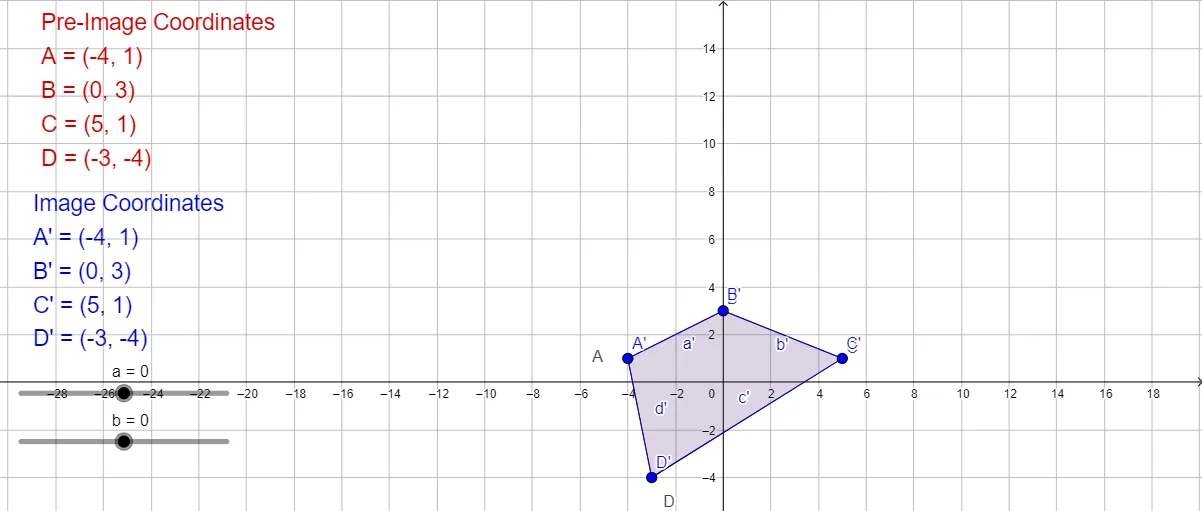
This example demonstrates the concept of translation, involving vectors and coordinate geometry. By dragging points A, B, C, and D, you can observe the translation effect on the polygon. It uses commands like Polygon and Intersect in GeoGebra, suitable for middle school and above students to learn geometric transformations.
GeoGebra Commands & Parameters
Polygon(A_1, B_1, C_1, D_1) → poly1, a_1, b_1, c, dIntersect(a_1, d) → AIntersect(a_1, b_1) → BIntersect(b_1, c) → CIntersect(c, d) → DPolygon(A', B', C', D') → poly2, a', b', c', d'
AI Drawing Prompt Reference
Draw a quadrilateral formed by the intersection of two pairs of parallel lines, creating a closed shape with four vertices. Then create a translated copy of this quadrilateral along a vector, so that each original vertex maps to a corresponding vertex in the new shape, preserving the direction and distance of translation. The figure should show two congruent quadrilaterals, with the translated one positioned according to the vector, and key points adjustable to modify the translation.
The prompt above was compiled from the original drawing commands and is for reference only.