
Hexagon Tiling
Loading the math board and drawing, please wait…
In collections
Symmetry, Transformation and Tessellation
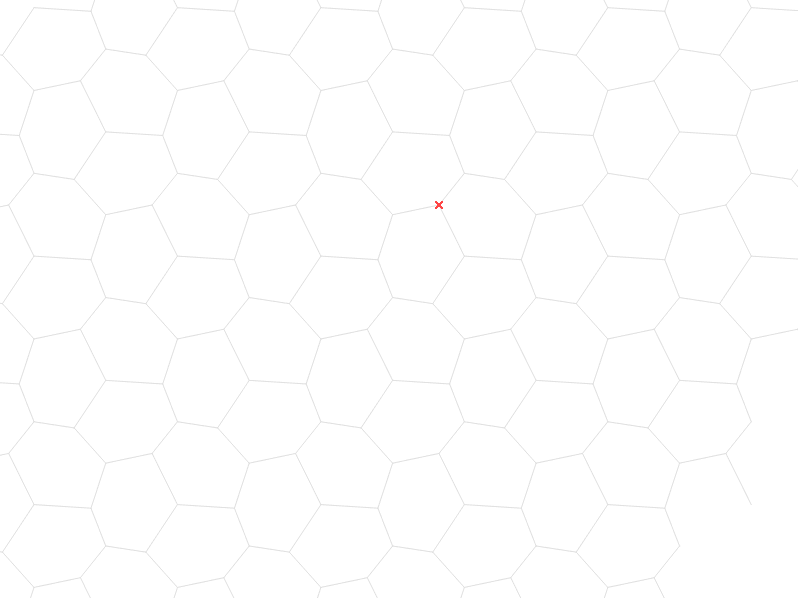
This example demonstrates hexagonal tiling and symmetry in geometry. Core math concepts include symmetry, polygon construction, and vector operations. It is constructed using GeoGebra commands like Vector, Segment, Rotate, and Sequence to create a basic hexagonal unit and generate the tiling pattern. Suitable for high school mathematics teaching, helping students understand plane geometry, symmetry, and spatial packing.
GeoGebra Commands & Parameters
Vector(A, B) → uVector(A, C) → vSegment(F, E) → aSegment(F, D) → bSegment(F, B) → cRotate(cell1, 120*°, D) → cell2Rotate(cell1, 240*°, D) → cell3Sequence(Translate[Sequence[Translate[tile, Vector[(n * u)]], n, -3, 3], Vector[(m * v)]], m, -3, 3) → tilingVector(B, G) → wVector(C, G) → dSegment(C, B) → eSegment(C, D) → iSegment(D, B) → jSegment(B, E) → kSegment(E, C) → l
AI Drawing Prompt Reference
Draw a hexagonal tiling pattern to demonstrate geometric symmetry. Start by creating a basic hexagonal unit, then use rotations and vector operations to generate repeated units, forming a tiling effect. Highlight the symmetric relationships between units and their spatial arrangement to create a hexagonal grid structure, suitable for teaching geometric construction and spatial packing principles.
The prompt above was compiled from the original drawing commands and is for reference only.