
Heart for Vectors
Loading the math board and drawing, please wait…
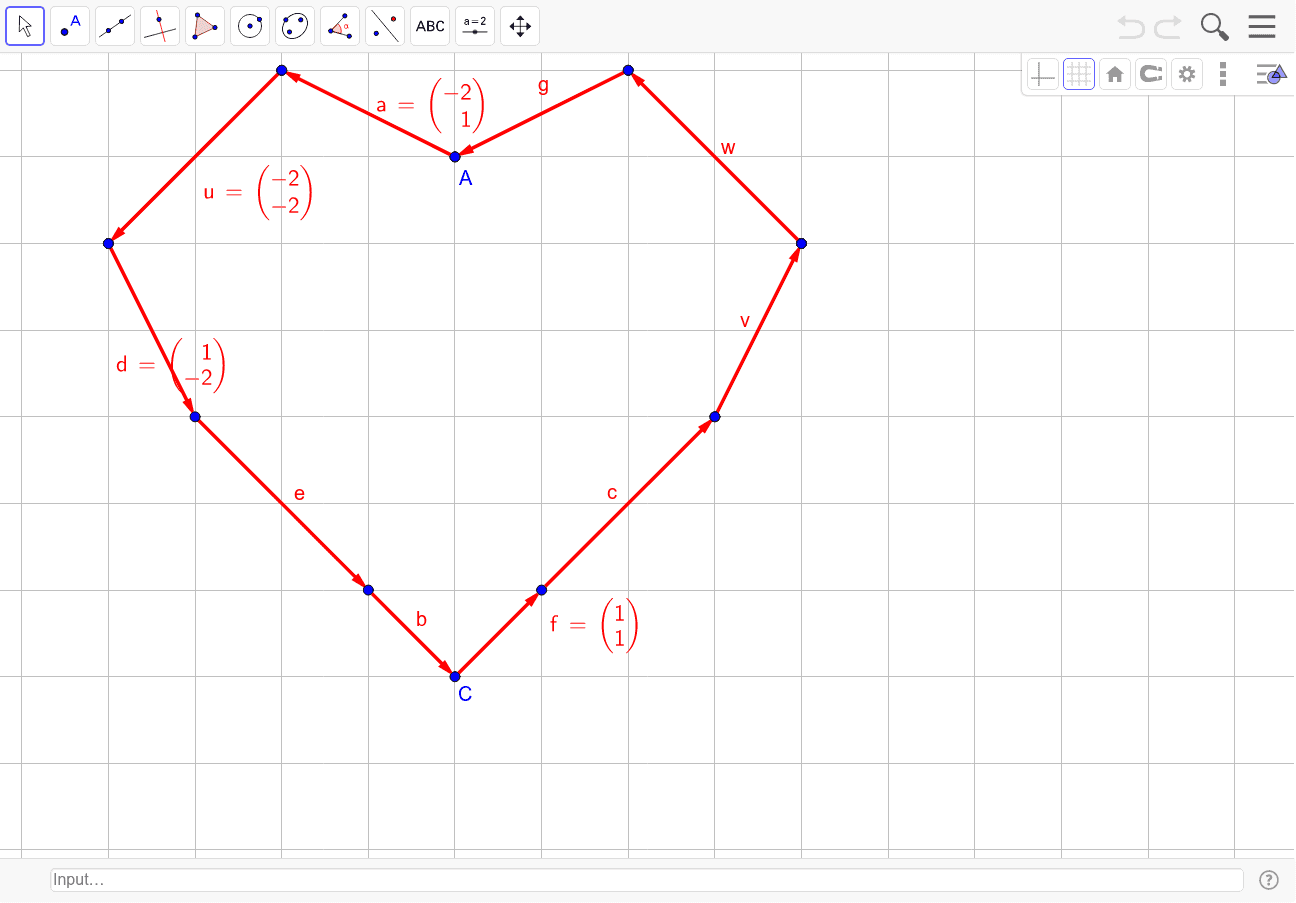
This example demonstrates how to construct a heart shape using vectors. It involves core mathematical concepts such as vectors, rectangles, probability, expected value, difference and slope, and differential equations. The construction utilizes commands like Vector and LaTeX, along with objects like A_1, B, u, C_1, D, v, E, F, w, G, H, a, C, K, L, c, I_1, A, g, M, N, d, O, e, b, f, text1, text2, text3, text4. It is suitable for high school and above students to understand vector applications in geometric constructions and animations.
GeoGebra Commands & Parameters
Vector(A_1, B) → uVector(C_1, D) → vVector(E, F) → wVector(G, H) → aVector(K, L) → cVector(I_1, A) → gVector(M, N) → dVector(N, O) → eVector(O, C) → bVector(C, K) → fLaTeX(a, true, true) → text1LaTeX(u, true, true) → text2LaTeX(d, true, true) → text3LaTeX(f, true, true) → text4
AI Drawing Prompt Reference
Create a heart shape using multiple vectors to demonstrate vector applications in geometry. Start by drawing several base vectors, then use these to form rectangles, and combine and transform these rectangles to create the heart outline. Label the key vectors and include mathematical formulas to explain the construction principles, suitable for high school and above students to understand vector applications and geometric animations.
The prompt above was compiled from the original drawing commands and is for reference only.