
Robot avoiding enemies
Loading the math board and drawing, please wait…
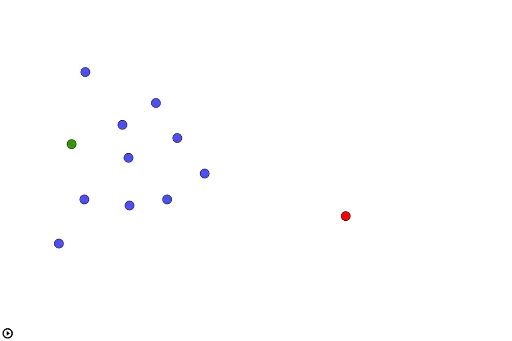
This example demonstrates a robot navigating a 2D space to avoid multiple enemies. Key math concepts include 2D vectors, coordinate geometry, probability distributions (e.g., normal distribution), and geometric transformations. Construction highlights use of GeoGebra commands like Sequence and UnitVector to generate paths and directions, with objects such as O (origin), A1-A10 (points), t (parameter), and P (path points). Suitable for high school and above learning vector applications, dynamic systems, and optimization problems.
GeoGebra Commands & Parameters
Sequence(UnitVector[Vector[Element[puntos, k], P]] / abs(Element[puntos, k] - P)^(2), k, 1, Length[puntos]) → repulsionesUnitVector(Vector[P, O]) → atractor
AI Drawing Prompt Reference
Draw a robot navigating in a 2D space to avoid multiple enemies. Start by setting the positions of the enemies as A1 to A10, and the robot at the origin O. Then, calculate the repulsion vectors based on the distance between each enemy and the robot. Finally, use these vectors to generate the robot's avoidance path.
The prompt above was compiled from the original drawing commands and is for reference only.