
Relative Error
Loading the math board and drawing, please wait…
In collections
El dominio del Tiempo (cinemática intuitiva)
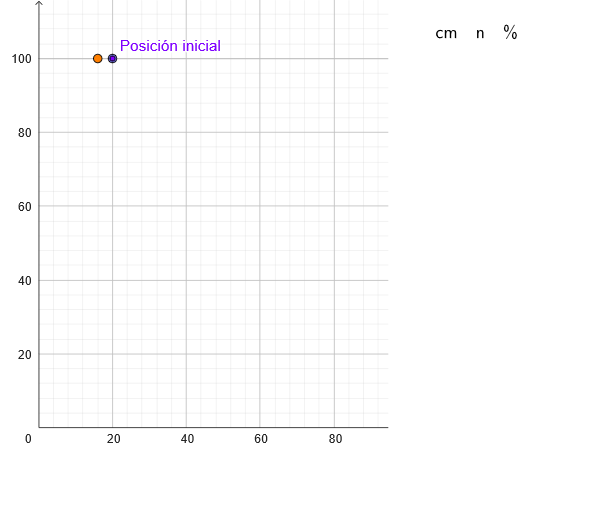
This example demonstrates the relative error made when approximating a theoretical position. Key mathematical concepts include error analysis and percentage calculation. Using GeoGebra commands such as PointIn, Sequence, and TableText, the example dynamically shows how error changes with approximation. Suitable for high school mathematics education, particularly in coordinate geometry and error analysis courses.
GeoGebra Commands & Parameters
PointIn(x ≥ 0 ∧ y ≥ 0) → PSequence(Segment[(x(P), marca(k)), (x(P) + x(Corner[2] - Corner[1]) / 20, marca(k))], k, 1, Length[marca]) → marcasSequence(Text[("" * reg(k)) + "''", (x(P) + x(Corner[2] - Corner[1]) / 18, marca(k))], k, 1, Length[marca]) → marcasNSequence(Segment[(x(P), y(P) - (4.905 * k^(2))), (0, y(P) - (4.905 * k^(2)))], k, 1, Length[marca]) → marcasTTableText(Join[{{"cm"}, (100 * Last[regD, Min[10, Length[regD] - 1]])}], Join[{{"n"}, Last[regN, Min[10, Length[regN] - 1]]}], Join[{{"%"}, 100 / Last[regN, Min[10, Length[regN] - 1]]}], "v") → texto3
AI Drawing Prompt Reference
Draw a graphic that demonstrates relative error approximation. The graphic includes a point P located in the first quadrant as a reference position. A series of line segments are drawn around point P to represent how error changes with approximation. Text labels are added on these line segments to indicate error values. Another set of line segments extend from point P to the origin, showing the cumulative effect of error. Finally, a table is added listing error percentages and corresponding approximation counts. The construction order is: first determine point P, then draw line segments and text labels, and finally add the table to display error analysis results.
The prompt above was compiled from the original drawing commands and is for reference only.